AI Product-Photo Editing: Change the Background, Keep the Bottle
Compare four image-editing conditions on one MORI product reference, checking backdrop, pump geometry, exact label text, amber glass and contact shadows.
On this page
A background edit has two jobs: make the requested scene change, and keep the product that was supplied. A pale mint backdrop cannot compensate for a changed pump, altered bottle or incorrect label.
This comparison was completed on October 23, 2026 using one fictional hand-cream reference and four requested conditions, with two outputs each. All eight changed the backdrop and tabletop while retaining the readable label and key product features. This set does not establish a clear preservation winner.
Define the change and the details that must survive
The reference is an original fictional MORI pack shot previously used in our image-editing guide. That earlier test changed the bottle material. This task changes the setting, so the old result does not answer the new question.
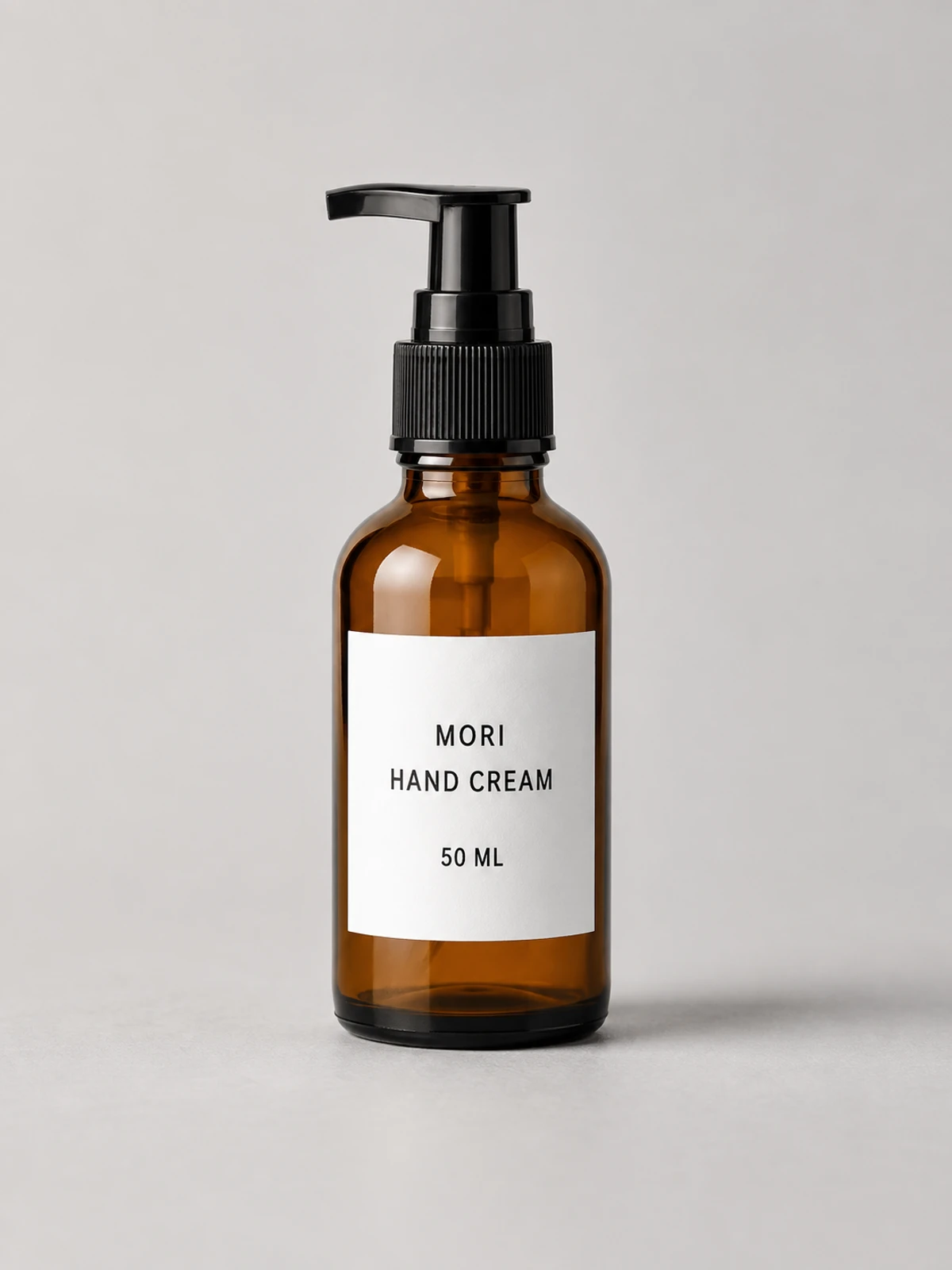
Treat the task as a contract with three parts:
- Change: gray backdrop and tabletop become a restrained, pale mint-green setting.
- Preserve: camera position, framing, bottle silhouette, left-pointing black pump, collar grooves, amber material, and the label's three lines.
- Allow: a natural contact shadow that belongs to the changed setting. Do not add props, flowers, packaging or another bottle.
The label must still read MORI, HAND CREAM and 50 ML. Correct words and a similar-looking label are separate checks. A model can spell everything correctly while changing line spacing or the label's shape; it can also preserve the layout but change a letter.
“Preserve” here means visible product fidelity against this reference, not demonstrated pixel identity. Small changes in reflection or contact shadow may be consistent with the new surroundings. They must not silently turn the bottle into a greener material, flatten its glass appearance, or redesign the pump.
The exact edit request
The same English instruction is used across the four conditions. The slashes below separate the three required label lines in the instruction; they are explicitly not requested as printed characters.
View promptHide prompt
Edit the provided product photograph. Change only the light gray background wall and tabletop to a soft pale mint green. Preserve the exact camera viewpoint, framing and full visible bottle. Preserve the amber bottle shape and transparent material, black pump silhouette, pump nozzle pointing to image left, vertical grooves of the pump collar, white rectangular label, and the exact printed label text MORI / HAND CREAM / 50 ML. Do not print slash characters. Keep the bottle's position and proportions unchanged. Maintain a natural contact shadow and coherent soft lighting on the new mint surface, while retaining the product's original detail. Do not add props, extra text, logos, hands or objects. Do not crop, redesign, replace or beautify the product.
This is a change of environment, not permission to restyle the product. The glass may reflect a different setting and the base needs to sit naturally on its new surface. Those linked changes do not authorize a new bottle silhouette or a rewritten package label.
The comparison method
The test was completed on October 23, 2026. Every attempt started from the same original reference and used the English prompt above; attempt two was not a further edit of attempt one. All eight planned requests returned an image, and all eight are shown. There were no request failures in this product task and no beauty-based selection between the two outputs.
| Requested condition | Requested image-quality setting | Returned dimensions |
|---|---|---|
| GPT Image 2.5 Flare | Medium | 768 × 1024, both outputs |
| GPT Image 2.5 Sunburst | Medium | 768 × 1024, both outputs |
| Nano Banana 2.1 | A medium value was submitted; no equivalent image-quality control was verified | 896 × 1200, both outputs |
| Grok Imagine Image 2.0 | No edit-quality option selected; service default | 864 × 1152, both outputs |
All requests targeted 3:4 and the available 1K size setting. Those names did not produce identical pixel dimensions. In particular, the Banana frames are 896 × 1200 rather than an exact 3:4 rectangle. We preserve each returned frame without cropping or stretching. The public files are lossless WebP encodes with metadata removed; decoded pixels and dimensions were checked against the originals.
These are requested model conditions. The responses did not independently attest the model version, so the table is not a separate authentication of the underlying model. Nor is “medium” proof of equal computation or equivalent quality controls across services. This is a same-reference, same-brief comparison with those limitations.
Official descriptions explain why these are relevant candidates. OpenAI positions Sunburst for demanding precision work; Google describes conversational image editing and text-rendering updates; xAI documents reference-image editing for Imagine Image 2.0. We treat those as vendor statements, not advance scores. OpenAI Images 2.5, Google Nano Banana 2.1, xAI image editing
Two attempts on one clean product reference cannot establish a general success rate or a ranking across product categories. Timing and cost were not compared.
Read structure before finish
A useful inspection moves through several independent questions. Do not average them into “looks realistic” before you know what changed.
Bottle, pump and crop
Start with the pump direction. A right-facing nozzle is wrong for this reference even if the rest of the bottle looks familiar. Follow the nozzle into the stem, then the ridged collar into the bottle neck. Look for merged joints, lost grooves or an altered pump profile.
Compare the bottle shoulders, widest body region and base with the reference. Then check its position in the frame. A tighter crop or taller-looking bottle can change the apparent product even when the material rendering is attractive. Compare at a similar display scale; one larger on-page image should not win merely because it looks more detailed.
Exact text and label geometry
Read the three lines character by character before judging the type style. MORI is not MOR1; 50 ML is not 50M L. Confirm that no new claims or decorative lettering were added.
Next examine the white label boundary, the placement of each line, and its relation to the bottle curvature. Text correctness does not prove the original label design was preserved. If a small line is too blurred to read, mark it uncertain instead of reconstructing the intended wording from memory.
Material, background and contact
Check that the bottle still reads as amber glass. A little mint reflected from its surroundings is a different observation from the bottle becoming an opaque green container. Follow the highlight shape and the dark glass near the base while comparing the overall material.
Inspect the backdrop and tabletop separately. Replacing only the upper background leaves part of the task undone. At the base, the shadow should connect the bottle to the new surface without an unexplained floating gap, an old gray cutout fringe or a new hard pedestal.
These are visual acceptance criteria, not a claim that we reconstructed the physical light transport. Our glass guide explains why plausible transparency and exact optical correspondence are different standards; the shadow guide explains contact and placement.
The eight results
Both outputs in each pair retain readable MORI / HAND CREAM / 50 ML, the left-pointing nozzle, visible collar grooves and an amber bottle. Both backdrop and tabletop change to pale green. We found no obvious product-replacement or extra-prop failure in this set.
GPT Image 2.5 Flare
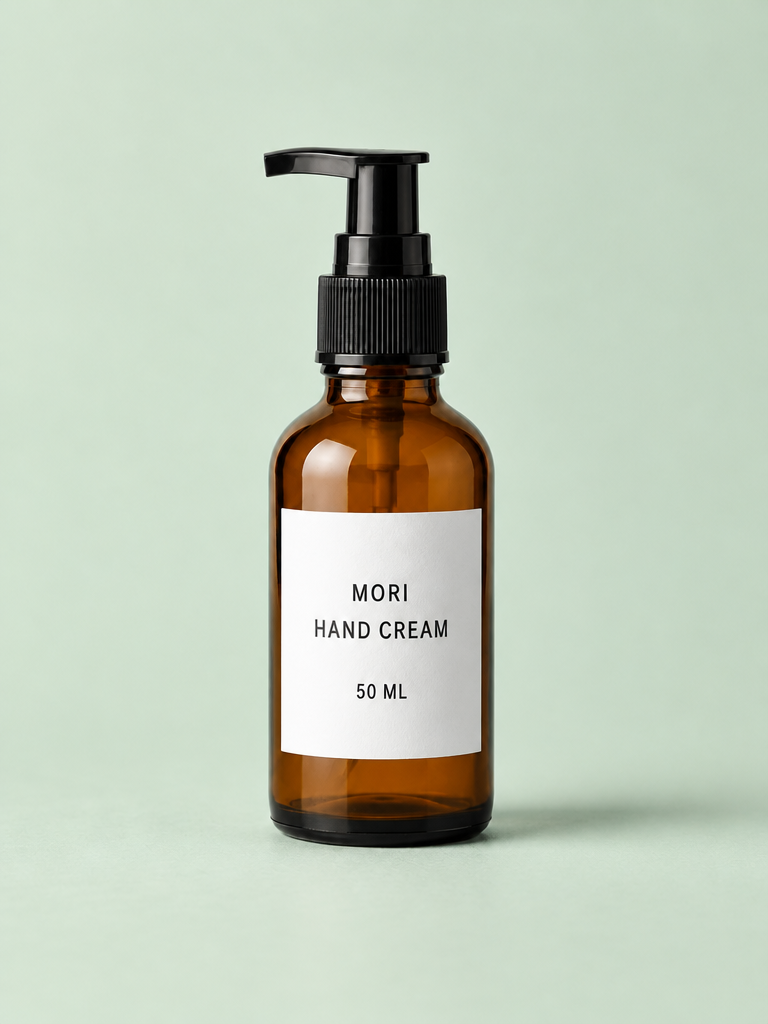
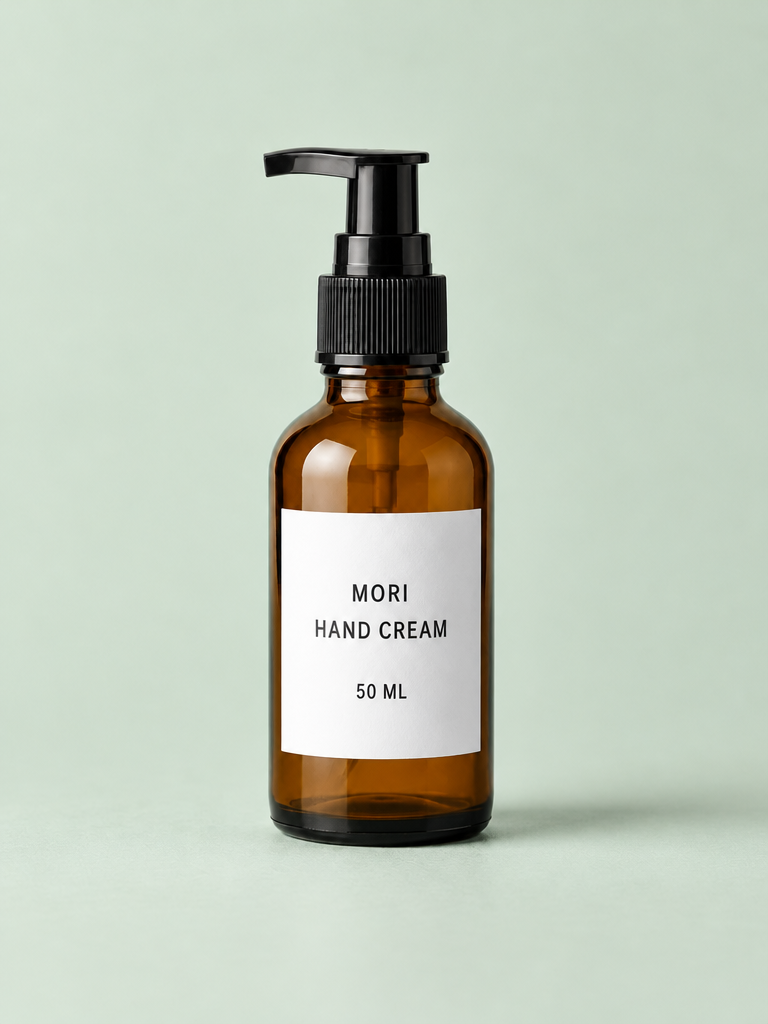
The pair is visually close in framing and product appearance. The new setting does not overwhelm the amber glass or erase the white label. That supports a positive judgment on this task, not proof that every product pixel survived.
GPT Image 2.5 Sunburst
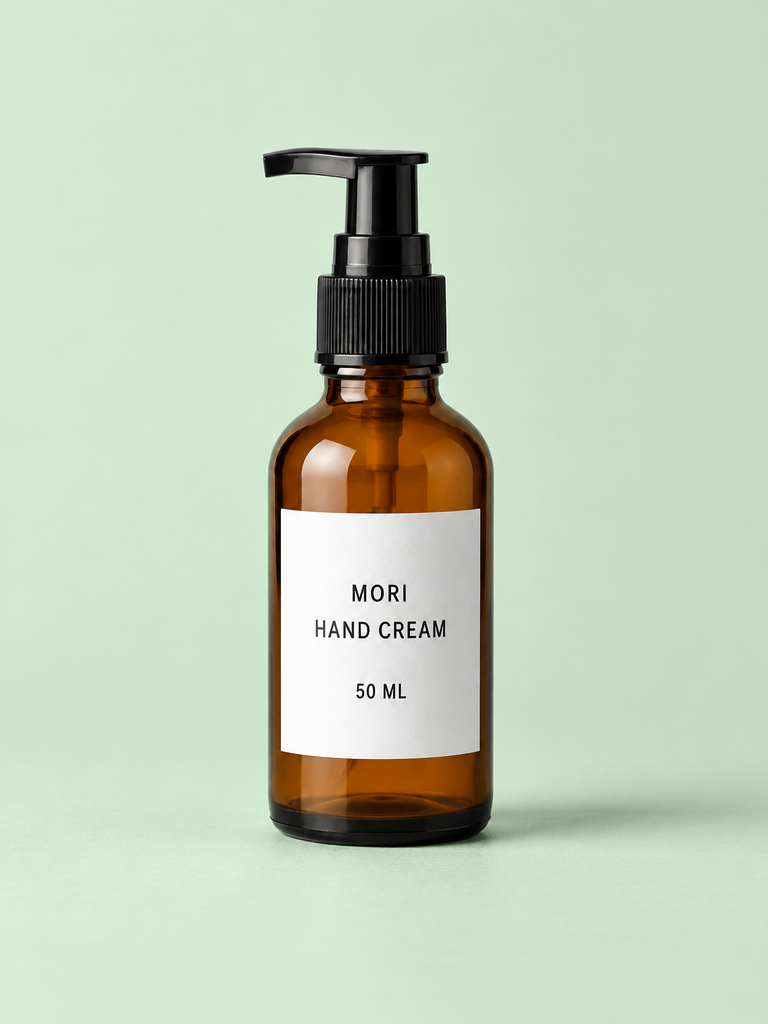
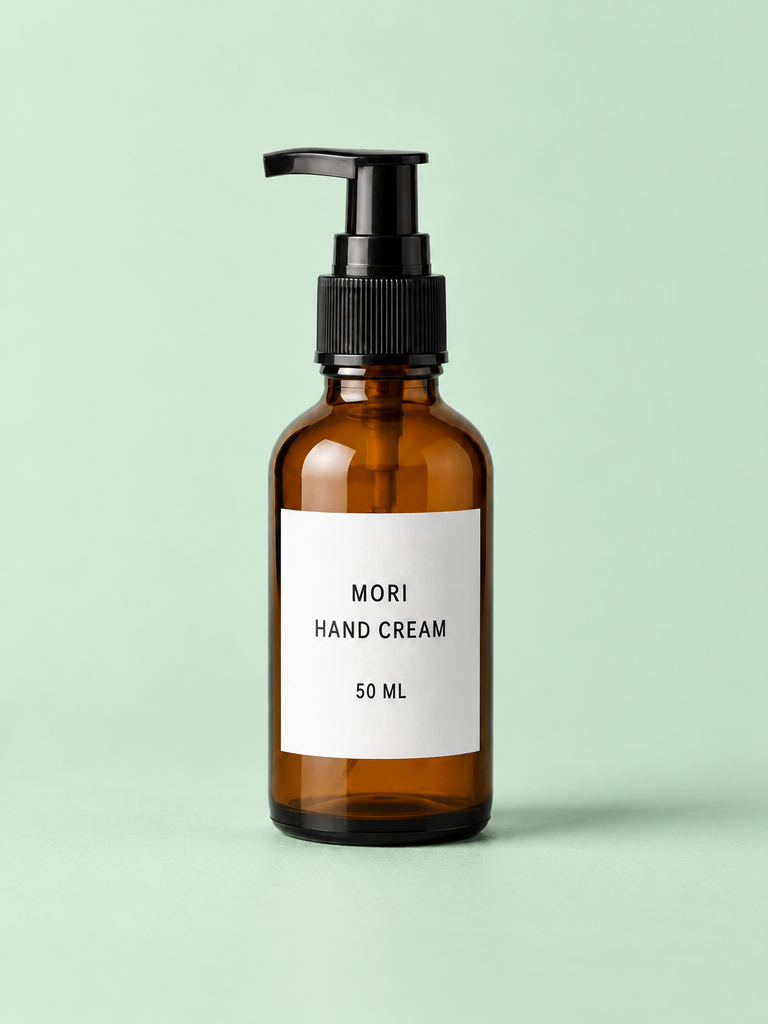
Both also meet the main visible requirements. This simple reference does not expose a decisive preservation advantage over the Flare pair. The vendor's precision positioning is not a reason to invent a difference that these images do not show.
Nano Banana 2.1
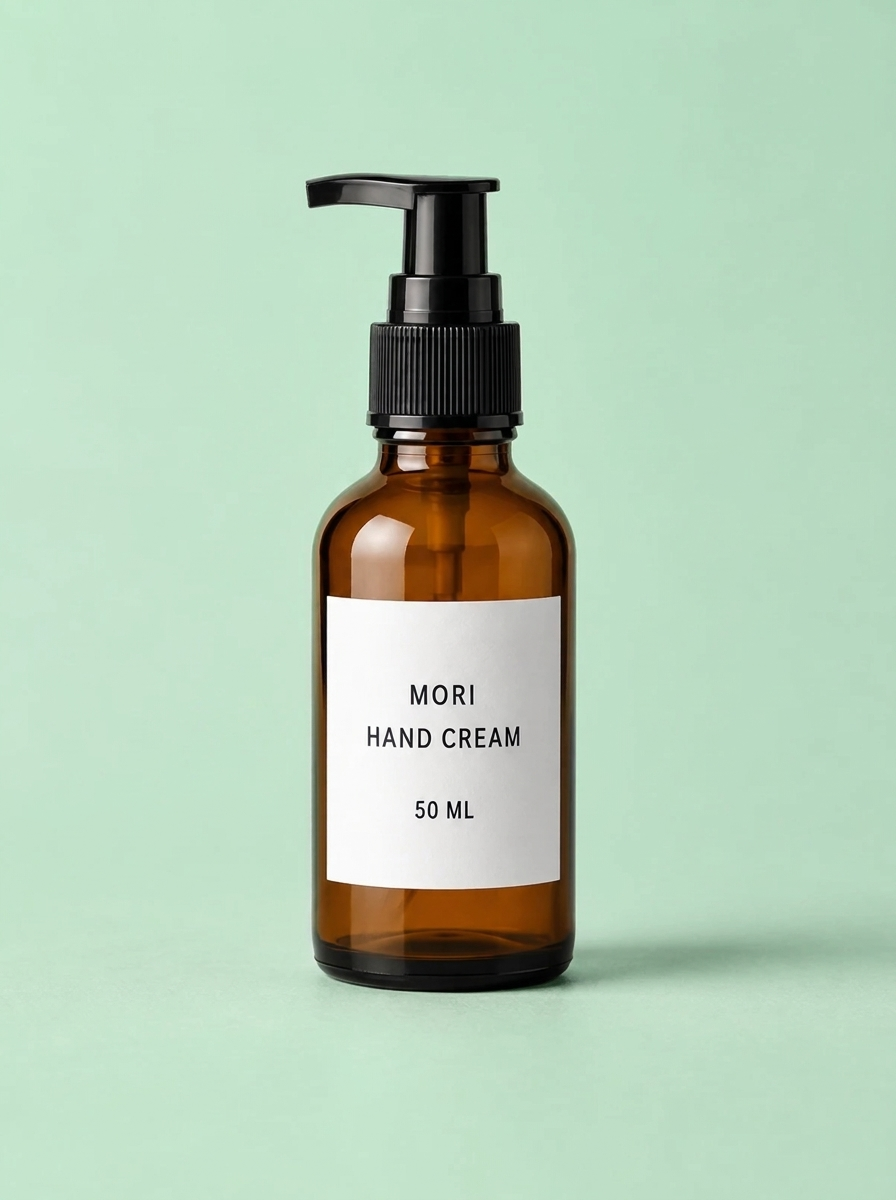
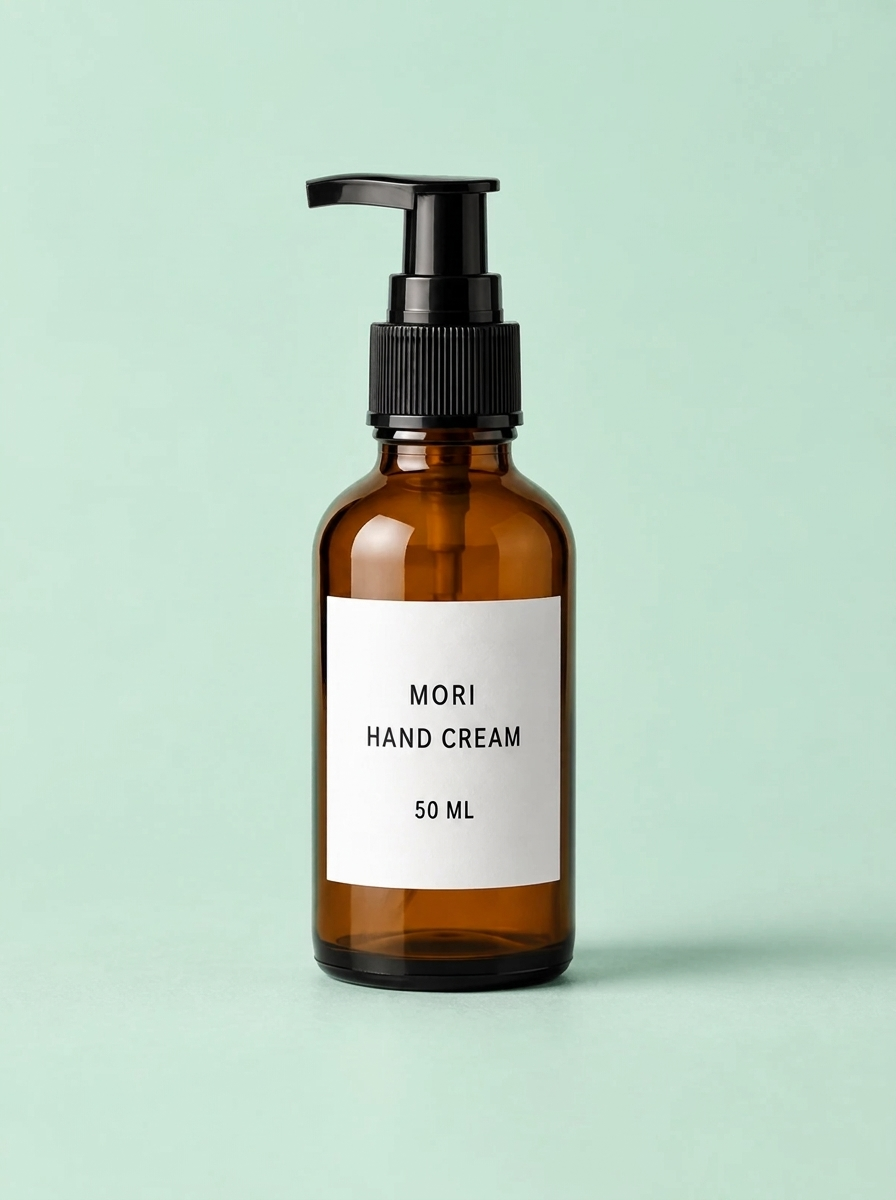
The mint interpretation looks a little cooler than the other pairs. It is not a material-color failure: the glass remains amber, and the label stays white. The larger returned pixel dimensions are a separate fact, not evidence of better preservation or higher quality.
Grok Imagine Image 2.0
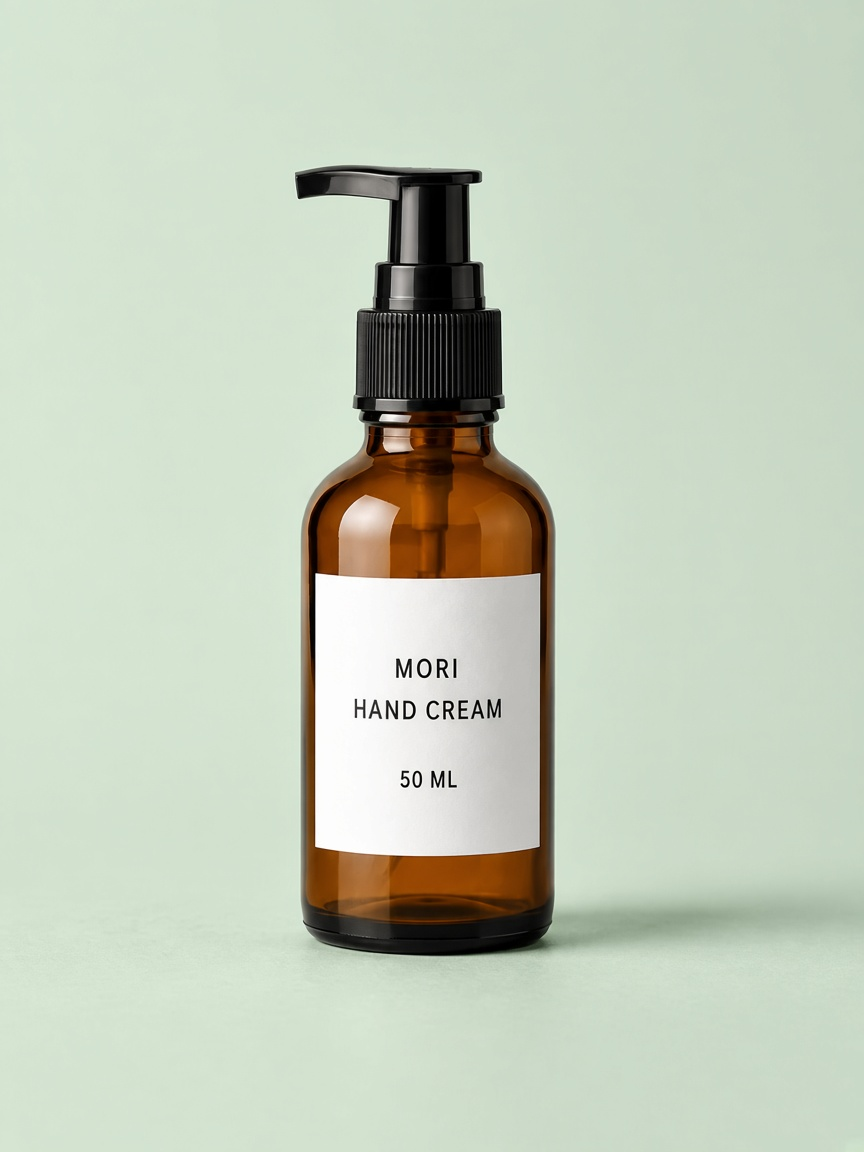
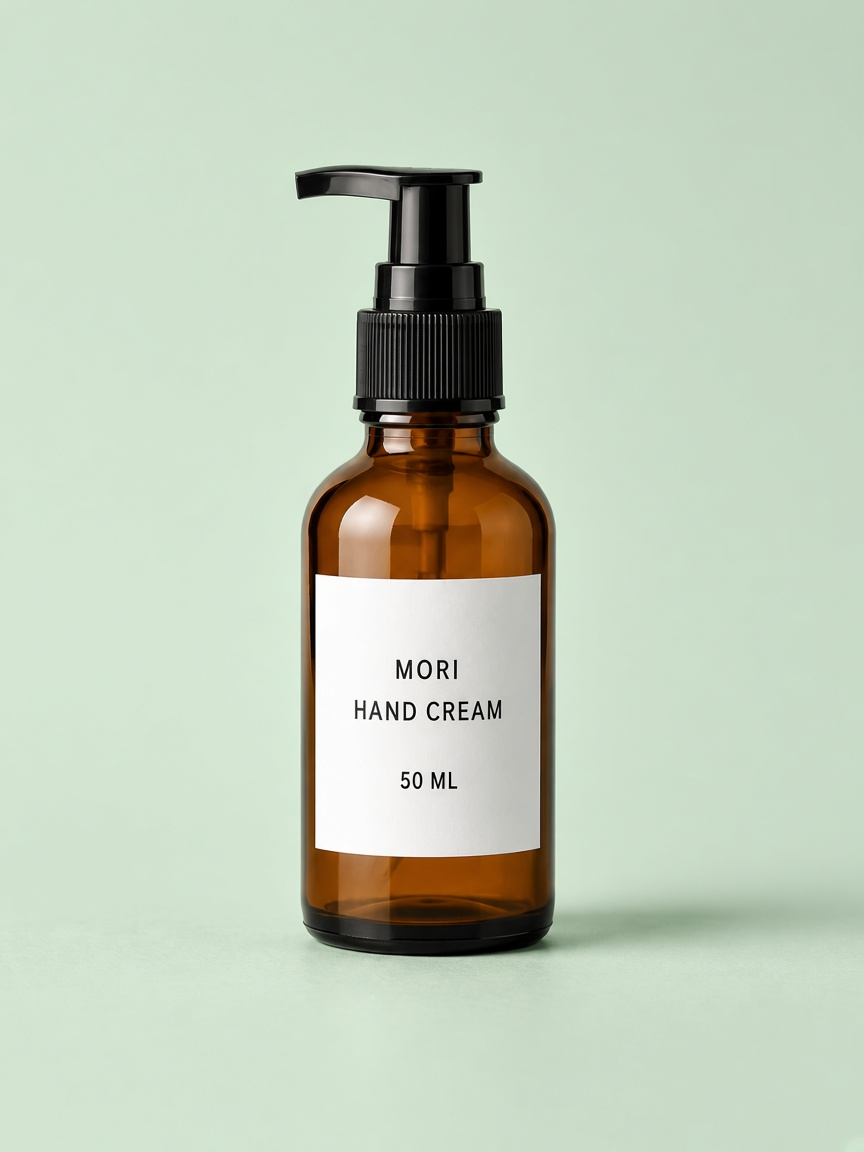
Both preserve the easily identifiable product features. Small differences in mint tone and shadow softness are visible across the set, but they do not form a convincing categorical winner. View the originals when checking the finest collar detail.
What this set establishes
All eight changed both scene regions, kept the three label lines readable without added slashes, and retained the key pump and bottle features. This was an easy-to-isolate product on a simple background. The result supports trying these requested conditions for a similar narrow edit; it does not show which will protect a busier package or a reflective multi-object scene best.
We have not registered and subtracted product pixels or measured label geometry numerically. “Looks close” should remain a visual judgment. For this case, use the demonstrated acceptance checks and your preferred mint treatment rather than a forced model ranking.
What to do with an almost-correct result
The branches below are guidance for future edits, not failures found in this set. Choose the next action from the failed requirement:
| Observation | Useful next action |
|---|---|
| Setting changed, but pump shape or bottle proportions drifted | Return to the reference and narrow the correction; do not treat the new product geometry as approved. |
| Shape looks close, but a label character changed | Repair and recheck the label; a polished background is not grounds to waive exact wording. |
| Backdrop is mint but the surface remains gray | State that both scene regions are in scope, then verify the contact area again. |
| Material is correct but contact looks detached | Address the base and shadow relationship without redesigning the bottle. |
| Product and scene meet the visible contract | Stop adding unrelated polish; inspect the final export at its actual use size. |
For work requiring unchanged product pixels, consider retaining the original product region in a layered composite instead of treating a generative edit as a pixel lock. Edges, reflections and semi-transparent glass still need inspection. That is a different workflow from the one tested here, and this comparison will not measure its performance.
A small inspection exercise
Before looking at a model name, pick an output and write two sentences: what visibly changed as requested, and which protected details pass, fail or remain uncertain. An all-pass record is valid; do not invent a defect. Use the reference rather than another model's output as the authority.
If a detail really is unclear, a defensible answer can say “the tabletop is mint and the label reads correctly, but the collar grooves are unclear.” It should not say “everything is preserved” because the image is attractive. If an image passes one check and fails another, keep both observations. That distinction is what makes a model comparison useful for your next edit.