Latest Updates
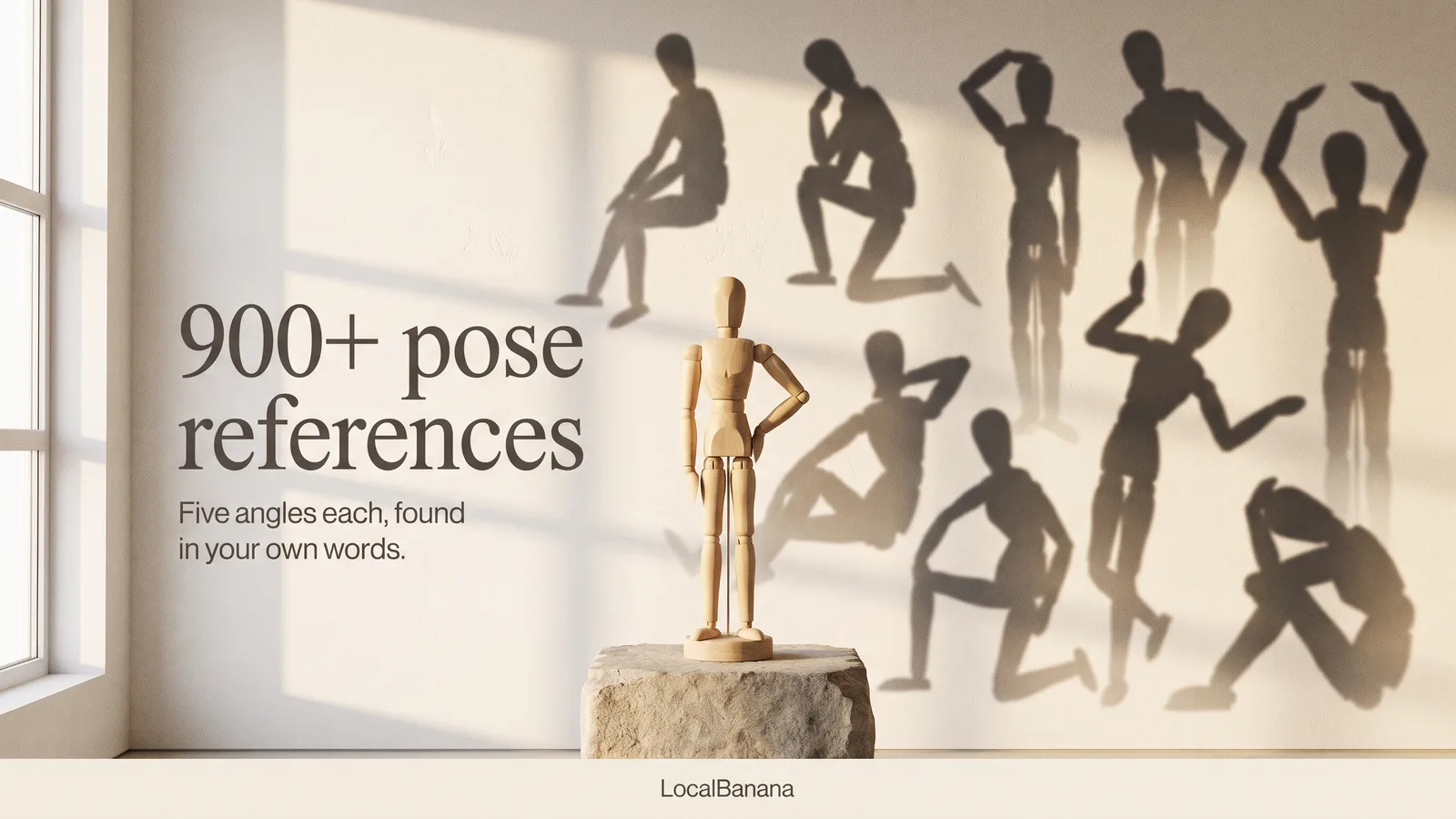
900+ pose references, found in your own words
The Pose library has grown to more than 900 pose references: 178 new moves, from standing, sitting, kneeling and lying to half-body gestures, each in five camera angles. Finding the right one is easier too. Describe it the way you would say it, in any of five languages, and the closest matches come first. Tap once to add, tap again to remove.
- •900+ pose references 178 new moves across standing, sitting, kneeling, lying and half-body gestures. Together with the existing poses, that is more than 900 references.
- •Five angles for every new move Pick a new pose and switch between Front, High angle, Low angle, Side and Three-quarter at the top of the drawer. The angle you choose is the one that goes into your image.
- •Search in your own words No keywords to memorise. Type something like "hands on hip", "shy, covering mouth" or "looking back", in English, Chinese, Japanese, Korean or Russian.
- •Picks that match your prompt Write your prompt first, then open Pose, and the best-fitting poses come first. Poses you uploaded yourself can be found by what they show, too.
- •One tap to use Tap to add a pose, tap again to remove it, and the drawer stays open, just like Style and Wardrobe.
Banana Prices Drop Again: More Affordable 2K and 4K
Several Banana GP prices are lower again, with savings of up to about 58%. The biggest reductions are on high-resolution images, so the same GP can now take more of your ideas to 2K and 4K. Come give it a try!
- •Banana 2.1 1K: 5 → 3 GP · 2K: 6 → 4 GP · 4K: 12 → 5 GP.
- •More affordable 4K Banana 2: 8 → 5 GP · Banana Pro: 10 → 8 GP.
- •Turn your next idea into a high-resolution image. Open Image Studio
Showcase: your best work, in the spotlight
Showcase is open. Make a creation you love public, and once it is accepted it appears in Showcase under your name and earns you 20 permanent GP the first time. Share the prompt with it so others can learn from how you made it.
- •Make it public Open a creation in Image Studio or in your Profile history and tap the lock to make it public. That submits it for review.
- •See exactly what is shared Before you submit, the card shows what will be published: the final image, your name, and your prompt.
- •Get featured Accepted works appear in Showcase with a "by" credit to you, mixed with featured picks and shuffled on every visit.
- •Earn 20 permanent GP Each work earns 20 permanent GP the first time it is accepted. Making it private and public again does not repeat the reward.
- •Track every submission In Profile → Submissions, filter by Accepted, In review, or Not accepted, and make any work private again whenever you like.
- •Create from the community When a Showcase work shares its prompt, open it and tap Use prompt to start your own version.
Banana 2.1: more natural photos, better design
Banana 2.1 brings Google’s latest Nano Banana image model to Image Studio for more natural photo texture, clearer design work, and more recognizable people or products when you create from references.
- •Photos feel more natural Light, skin, fabric, food, and product surfaces keep more of the texture you expect from a real scene.
- •Design work gets clearer Use it for posters, product cards, covers, and diagrams where layout, hierarchy, and readable in-image text matter.
- •References stay recognizable Bring a person, product, outfit, or brand object into a new scene while preserving the cues that make it identifiable.
- •Choose 2.1 for polished work Pick Banana 2.1 in Image Studio, and go up to 4K when poster detail, print mockups, or product close-ups need the extra room.
Four colors, a fresh mood
Give a generated image a new color direction with Color. Start with the colors already in your picture, refine your own palette, or try a suggested combination, then generate a fresh version.
- •Start from your image Open a generated image and choose Color in the top toolbar. 4 main colors are extracted automatically as your starting palette.
- •Make each color yours Click a swatch to adjust it with the familiar Sketch color picker or enter a HEX value.
- •Try another mood Open Suggestion to explore 10 ready-made four-color palettes, from soft tones to bold contrasts.
- •Create a new version When the palette feels right, press Send to generate a recolored image. Your original stays available so you can compare and keep exploring.
Room to play: A new canvas for your ideas
Meet the updated LocalBanana image generation workspace, designed with room to play and explore. Sketch quick drafts, mark up details directly, and polish your favorite images on a welcoming canvas. Everything is set up to help your thoughts take shape naturally.
- •Focus and Overview Work with one large preview in Focus mode, or step back to Overview to see every generation together. You can open a clean canvas anytime without losing previous work.
- •Sketch pad Start on a blank board using pens, text, and simple shapes. Confirm your rough sketch as a visual reference, describe what you picture, and generate fresh results from that foundation.
- •Markup and comments Draw directly across an image or drop notes onto specific spots. Point out exactly what to adjust, brighten, or replace so your next revision heads in the right direction.
- •Bang edits Click recognized objects or draw a box around any area, then describe your revision. Bang generates an updated variation with your changes while keeping the original safe and untouched.
- •Remove background, erase and resize Remove a background, paint over unwanted objects to erase them, or choose a new aspect ratio and let the image recompose to fit.
- •Copilot support Bring in Copilot whenever your prompt needs polish. It meets you right in your creative flow, turning rough thoughts into vivid prompts so you can keep experimenting with confidence.
GPT Image 2.5: Next Stop, Imagination
GPT Image 2.5 is here. Choose Flare or Sunburst and give your next idea a place to go.
- •Create and edit Start with a prompt or bring reference images to take an idea further.
- •Your frame, your detail Choose GPT Image → 2.5 in Image Studio, then set the aspect ratio and 1K / 2K / 4K resolution.
Create More, Calculate Less
Perhaps the biggest buzzkill in creative work is not running out of ideas, but having a fun spark in your mind only to freeze before the generate button, calculating how many points this next attempt might cost. The Ghost Webmaster generates hundreds or even thousands of images every day and knows that hesitation all too well. That is why we lowered prices, added more choices, and packed far more GP into every tier. We hope LocalBanana gives you fewer worries and much more freedom to create.
- •A lower barrier, with more GP We now offer four membership choices with pricing in supported checkout currencies: Starter at $4.99/month with 300 GP, Basic at $10/month with 700 GP, Creator at $19.99/month with 2,000 GP, and Studio at $39.99/month with 5,000 GP. Annual billing saves even more. Among the creative platforms we currently know and have used ourselves, LocalBanana's average creation cost per image is in the lowest tier.
- •A fuller creative experience at every tier Whichever active paid plan you choose, you get Copilot, Pose Analysis, and the complete Studio creation toolkit. Ghost Points work across images, videos, and slide decks, with the exact cost shown before every generation. Your tier determines how much GP you receive, not which useful tools are locked away.
- •Prefer not to subscribe? Top up anytime The new Top-up packs are more affordable, come with more GP, and never expire. We also prepared a first-time Surprise Pack with 60 GP for $0.99 so you can try it out. Subscribing or buying another Top-up pack first will not take this offer away.
- •Because great work takes plenty of tries The images that move us rarely arrive on the first attempt. More often, they emerge through generating, refining, discarding, and trying again. We worked hard to lower the cost so that when inspiration strikes, you can skip the calculations, try a few more ideas, and enjoy creating without worry.
- •Check out the new payment options, and dive right into creating!

GTA VI Image World Is Open
GTA VI Image World is now open in LocalBanana. We have reshaped 81 selected official images into a full-screen world of characters, places, artwork, style and vehicles, made to be explored, downloaded and reimagined beyond the game.
- •A living visual world The collection will keep evolving alongside GTA VI's release and game progress, bringing new characters, locations, vehicles and visual clues into the gallery as the world expands.
- •Feel Leonida beyond the game Slow down over the details, move between people, places, style and vehicles, and experience the atmosphere of GTA VI outside the game screen.
- •Recreate the GTA world with your own hands Start from an official reference, then use Remix or Zap on supported images to rebuild its mood, style and stories in your own way.
- •From the original world to your version Official references and LocalBanana creative templates are clearly separated, so inspiration can become a world you have personally recreated.
Midjourney v8.2 Is Now Available
Midjourney's newest mainline model is now available in LocalBanana. Choose v8.2 directly in the Image Studio to explore a fresh visual direction while keeping the prompt, aspect ratio and speed controls you already know.
- •The newest Midjourney model is ready Choose v8.2 at the top of the version menu and start creating without changing the rest of your setup.
- •Four directions from every prompt Each generation still returns four visual options, making it easy to compare composition, mood and style before choosing where to continue.
- •Keep the controls you already know Pick a portrait, square or landscape format, then use Relax, Fast or Turbo based on how quickly you want the result.
- •Every version stays one click away v8.1 and earlier main versions remain in the same list, with Niji 7 and Niji 6 placed together at the bottom.
- •Start from inspiration or from scratch Browse Midjourney work in the Gallery and reuse a prompt, or begin with your own idea in the composer.
Grok Image 2 Is Now Live
Grok Image 2 is now live in LocalBanana, replacing Grok Quality with xAI's newest image model. It brings higher realism, stronger text rendering, and better creative control to generation and editing, with 1K and 2K output plus Low and Medium quality choices.
- •Higher realism Fine details, accurate textures, and more natural characters and scenes give every concept a more finished starting point.
- •Stronger text rendering Posters, menus, product graphics, and layouts with visible copy hold together more confidently.
- •Better creative control Tighter prompt following and stronger scene understanding make it easier to keep a visual or brand direction consistent across iterations.
- •Generate and edit in one flow Start from a prompt or work with up to three reference images without leaving the LocalBanana image workspace.
- •Choose the right finish Use 1K or 2K with Low or Medium quality, with the GP cost shown before generation.
A Faster, Calmer Image Studio
The image creation workspace has been redesigned around one shared place for your images, wardrobe, poses and styles. Results now appear sooner, the composer stays comfortable with longer prompts, and returning to a finished creation no longer interrupts the image you were viewing.
- •Everything in one place Open Images, Wardrobe, Pose or Style from the familiar shortcuts and switch between them inside the same drawer without closing your work.
- •Recent uploads are ready when you are Reuse images you have already added, remove the ones you no longer need and keep your creative flow moving without opening the file picker every time.
- •See completed images sooner Finished images now appear in your workspace sooner, so you can start reviewing them without waiting for every final step.
- •Your image stays put Finished results no longer disappear or flash when saving completes, when you download them or when you close and reopen the creation panel.
- •More comfortable prompt writing The composer gives long prompts a clearer reading rhythm while taking up less of the screen, leaving more room for the result and reference drawer.
- •Clearer controls and feedback Menus, buttons, tooltips and notifications now share a more consistent visual language, with steadier switching and better behavior on smaller screens.
- •More useful error messages Prompt safety issues are now explained directly instead of looking like a temporary service problem, so you know what to change before trying again.
Seedance 2.5 Is Live, Now 20% Less
Seedance 2.5 is now available in LocalBanana, with current generation prices 20% lower than the standard rate. This first release focuses on the core creation flow: turn a prompt and your reference media into a finished video, with longer clips, more reference slots and built-in audio generation.
- •Our new flagship video model Seedance 2.5 brings stronger motion, better continuity and more faithful use of mixed reference media to the LocalBanana video studio.
- •20% lower generation prices The discount is already reflected in the GP shown before you generate, so there is no code to enter and no separate plan to choose.
- •More room to direct the shot Choose 480p or 720p, set a duration from 4 to 30 seconds, use the familiar aspect ratios and turn generated audio on or off.
- •Up to 50 reference assets A single generation can use as many as 30 images, 10 videos and 10 audio clips, with a scrollable reference rail that keeps large sets manageable.
- •Seedance 2.0 stays available Standard, Fast and Mini remain in the Seedance model menu when speed, 4K output or lower cost fits the job better.
- •What comes next This release covers regular video generation. Dedicated edit and extend flows, first and last frame modes, MOV output, watermark controls and web search will arrive in later updates. Open Video Studio
Zap: Put Yourself Into Gallery Artwork, No Prompt Needed
The gallery holds more than ten thousand curated pictures, and behind each Zap-ready one is a carefully written prompt. Until now, wanting one of those looks meant reading that prompt, copying it, loading your own reference and tuning settings before you saw anything at all, and most people gave up at step one. Zap collapses all of it into one gallery-card action: hover over Zap on desktop or tap it on a touch screen, upload one photo of yourself, and the picture comes back with you inside it. No prompt to write, nothing to configure.
- •Why we built it The distance between "I like that picture" and "I have that picture" used to be a form to fill in, and most people never filled it in. Zap removes the form, so browsing and creating become the same motion.
- •What makes it different An ordinary generation asks you for everything: the prompt, the model, the aspect ratio, the reference slots. Zap asks for nothing beyond your photo. The artwork you choose is the instruction, and you supply the only thing it cannot know, which is you. The wording behind the picture is applied for you and never shown.
- •Your face stays yours An identity lock holds facial features, skin tone and age steady, while wardrobe, hair, make-up, pose, scene and lighting follow the artwork you picked. It relocates you rather than retouching you: nothing is slimmed, re-aged or smoothed.
- •Cheap enough to be casual 2 GP a shot, with model choice hidden behind one launch setup. Zap is built to be clicked on impulse, several times in a row, rather than budgeted for.
- •It fits gallery browsing On desktop, hover a supported gallery card to reveal Zap; on touch screens, tap the Zap button in its top-right corner. Close the panel while it runs and the card in the feed keeps its own progress; tap or click that card to come straight back to the result.
- •Recent photos stay on your device Photos you upload are kept in your own browser, so the same selfie is one tap away on the next artwork. They are never stored on our servers.
- •Results are yours to keep Once a Zap is saved successfully, it appears in your creations with a Zap badge and can be carried into the full composer to keep editing.
- •The first step, not the last Zap is the fully automatic end of a longer road. The machinery underneath will open up piece by piece, until every part of a picture is yours to define.
Style Library: One-Tap Looks, Hairstyles, Hair Color & Makeup
The image composer now includes a Style library: nearly 600 curated looks, hairstyles, hair colors, and makeup styles you can browse as visual cards and mount with one tap. Styles are applied as expert-written instructions, so they never occupy your reference image slots. And when your prompt disagrees with your picks, your picks win automatically.
- •Four independent style slots Look (lighting, film, color grade, atmosphere), Hair, Hair Color, and Makeup each get their own slot: mix them freely, one pick per slot.
- •Pick by picture, applied as text Browse visual cards and tap to mount. Each style lands as an expert-tuned instruction, so your reference image slots stay fully free for your own photos.
- •Hairstyle and hair color stay separate Change the cut without touching the color, or go platinum while keeping the exact same haircut.
- •Conflicts resolve themselves If your prompt says one thing and your style picks say another, the composer reconciles them before generating: your selections take priority and the rest of your prompt stays untouched.
- •Find the right style fast Filter by family, use search that understands meaning rather than exact keywords, or hit shuffle for instant inspiration.
- •Broad support, no extra cost Style works on Banana, GPT Image, and Grok models, adds zero GP to a generation, and mounted styles appear as chips with one-tap clear.

Banana 2 Lite: Fast 1K Images at 2 GP
Banana 2 Lite is now available in the Banana 2 model menu. It is the fastest, most cost-effective Banana 2 path for high-velocity 1K image generation and editing, priced at 2 GP per image for launch.
- •Choose it from Banana 2 Open the Banana 2 submenu and switch between Standard and Lite without leaving the composer.
- •Built for fast 1K iteration Lite keeps the canvas at 1K, so drafts, text-to-image ideas, and light edits can move faster.
- •Launch price: 2 GP Every Banana 2 Lite image is shown as 2 GP before generation.
- •Cleaner parameter set Lite exposes the standard ratios it supports and hides the 512, 2K, 4K, and extreme-ratio controls from Standard.
- •Keep Standard for bigger finishes Use Banana 2 Standard when you need higher resolution, broader ratio coverage, or final polish.
Pose Control Upgrade: Faster Extraction, Steadier Poses
Pose is now faster and easier to use directly from the image composer. Extract a Pose from an uploaded image, place it in a dedicated Pose slot, and guide body position without mixing it into ordinary references. Each extraction now costs 2 GP instead of 5 GP, a 60% reduction, with extraction speed expected to improve by 80%.
- •Quick Pose extraction Upload an image directly in the image composer and turn it into a Pose without visiting Profile first.
- •Lower extraction cost Each Pose extraction now costs 2 GP instead of 5 GP, a 60% reduction.
- •Faster processing Pose extraction is expected to be 80% faster, so trying multiple body positions takes less waiting.
- •Dedicated Pose slot Pose now lives in its own slot instead of mixing with ordinary reference images, making attach, replace, and remove actions clearer.
- •Steadier pose control The composer uses Pose more clearly for body posture, action, and hand gestures, while reducing accidental influence from face, outfit, or background details.
- •Works with Precise Reference When Precise Reference is on, Pose affects generation only when you explicitly mention it with @Pose. Keep it mounted and choose when it should guide the result.
Precise Image References for the Image Composer
Image prompts can now point to a specific reference image. Type @ to choose a mounted image, keep Precise Reference off when all attachments should still be used, or turn it on when only the mentioned images should guide the result.
- •Type @ to pick a reference image The menu shows your mounted images with stable Ref labels, so the prompt can point to the exact image you mean.
- •Off keeps the familiar behavior All attachments are still used, and @ only tells the image model which reference you want to emphasize.
- •On turns the tray into a precise queue Only mentioned images are used, in the order they appear in the prompt.
- •Clearer prompt handoff LocalBanana rewrites @ mentions into Reference image 1, Reference image 2 wording before generation, so the model reads natural instructions.
Seedance 2.0 Adds 2160p 4K and a Faster Mini Option
Seedance now has two clearer creative lanes in LocalBanana: Standard goes up to 2160p for polished final clips, while Mini keeps 480p/720p fast and low-cost for drafts. Both are priced about 30% cheaper than the official list, with GP shown before generation.
- •Standard now reaches 2160p Use the main Seedance 2.0 path when a shot needs sharper detail, cleaner product frames, or a more finished export look.
- •Mini is the fast low-cost lane Choose Mini for quick prompt tests, social drafts, and motion exploration in 480p or 720p without paying full Standard or real-face pricing.
- •The same creative flow stays in place Prompts, reference images, reference videos, reference audio, and sound all stay inside the same Seedance composer experience.
- •About 30% cheaper than official pricing The GP price is shown before you run it, so you can compare quality and cost without reading a pricing table.
Grok Image and Video Are Now in LocalBanana
Official Grok image and video generation is now built into LocalBanana. Use Grok when you want bold visual ideas, sharper internet-native imagination, fast character concepts, and motion that feels playful, expressive, and easy to iterate.
- •Grok Image for bold visual ideas Create expressive images with strong personality, pop-culture energy, surreal scenes, and fast character exploration.
- •Grok Video for playful motion Turn prompts and references into lively clips that feel direct, social, and easy to remix into a stronger direction.
- •Image and video in one flow Move from a still idea to motion without leaving the LocalBanana creative workspace.
- •Experience polish We also made generation status, Copilot, tooltips, and the composer feel clearer and more consistent across image and video.
Midjourney Is Now in LocalBanana
Hi everyone! Midjourney is now inside LocalBanana. Pick it beside Banana and GPT Image, describe the world you want to explore, and keep the whole creative flow in one familiar place.
- •Midjourney has a distinct creative feel. It is especially good for cinematic scenes, stylized characters, surreal fashion, painterly worlds, and images where mood matters as much as accuracy.
- •One prompt gives you four directions. Use it when you want to compare composition, atmosphere, and visual language before choosing where to continue.
- •Image prompts are supported. Add references when you want Midjourney to follow a stronger subject, look, or atmosphere.
- •Fresh Midjourney inspiration is now in the gallery. Browse the Midjourney filter, open examples with their original prompts, and remix the direction in your own composer.
Creative Stats Arrive in Profile
Profile now includes a compact creative stats card with lifetime GP, total successful generations, daily activity, and a downloadable share image.
- •Creative Stats in the Profile Menu Open the profile menu and use the small stats button on the Profile row to reveal your activity card
- •Real Usage Metrics Lifetime GP is calculated from generation-related spend minus failed-generation refunds, while total generations counts successful image and video generations
- •Daily Activity Grid The dot grid shows recent daily creation activity; darker green dots mean more GP or more created content that day
- •Downloadable Share Card Save a clean LocalBanana activity image with your name, handle, activity grid, Lifetime GP, and total generations
A Thousand Tastes, A Thousand Feeds
LocalBanana is defining A Thousand Tastes, A Thousand Feeds: every creator reads the gallery through a different visual taste, so the home feed should learn those differences instead of showing one universal order.
- •Definition A Thousand Tastes, A Thousand Feeds means every signed-in creator can receive a feed shaped by their own recent visual taste, instead of one global order for everyone
- •Behavior-Based Learning Opens, saves, prompt copies, and creation actions will help shape future recommendations
- •Relevant Results First Similar and related images will be prioritized as the system learns your preferences
- •Fresh Work When Relevance Is Close When two images are similarly relevant, newer creations will get priority
- •Recent Taste Carries Forward New sessions will be able to inherit your latest interest direction instead of starting cold
- •Gradual Rollout Personalized recommendations will open progressively as we continue tuning quality and feedback
AI Video Studio Is Live: Kling Motion Control + Seedance 2.0 Real Face Support
LocalBanana now brings video generation into the same visual workflow: use Kling for motion-control shots, create or attach subject references with AI help, and generate Seedance 2.0 videos with real-face support through direct provider routes, low-moderation options, and pricing 20%+ below the official price.
- •Kling Motion Control Build controllable shots with one of the strongest motion-control video models, designed around a practical subject-reference workflow
- •AI-Assisted Subject References Start from a character, face, or rough direction; LocalBanana helps prepare the reference subject before generation
- •Seedance 2.0 Real Face Support Upload real human face references and generate face-aware videos with official configuration options exposed in the workflow
- •Low Moderation Direct Routes Kling and Seedance run through direct official-provider routes with lower moderation intervention where available, making review smoother while keeping model behavior, parameters, and result handling closer to the source
- •20%+ Below Official Price LocalBanana shows a simplified per-second estimate, with the converted price set at least 20% below the official price for easier long-shot tests and iteration runs
- •NSFW Mode Procurement If you need NSFW mode, contact hello@localbanana.io for separate official-provider procurement

Gallery Browsing Feels Sharper and Smoother
We refreshed the gallery browsing experience so images feel clearer, open more smoothly, and keep pace while you explore. It is easier to scan inspiration, open a look, and continue browsing without losing your flow.
- •Clearer Browsing Images in the gallery look crisper while you scan for ideas
- •Smoother Opening Tapping a card now brings up the larger view more naturally
- •Better Flow The gallery keeps up better as you move through more inspiration
- •Available Now The refreshed gallery experience is live for everyone
Image Search Copilot Is Live: Upload a Reference, Find the Look
LocalBanana now has a visual Copilot for image search: upload a reference from the gallery search bar and let it read the style, mood, composition, color, and content, then pull similar visual directions from the whole library. It is a powerful new way to search by taste, not just by words, and free accounts can try it with a daily image-search quota.
- •Upload From Search The gallery search bar now includes an image-search button. Upload a JPG, PNG, or WebP and we will search the full gallery for similar visual directions
- •Style and Content Matching Results are based on the image itself: palette, composition, subject matter, lighting, material, and overall mood
- •Visual Copilot Search LocalBanana reads the reference like a creative assistant: style cues, composition, color logic, subject relationships, and the overall feeling you are trying to chase
- •Free Daily Tries Sign in and start with a free daily image-search quota. Paid tiers keep higher limits for heavier research sessions
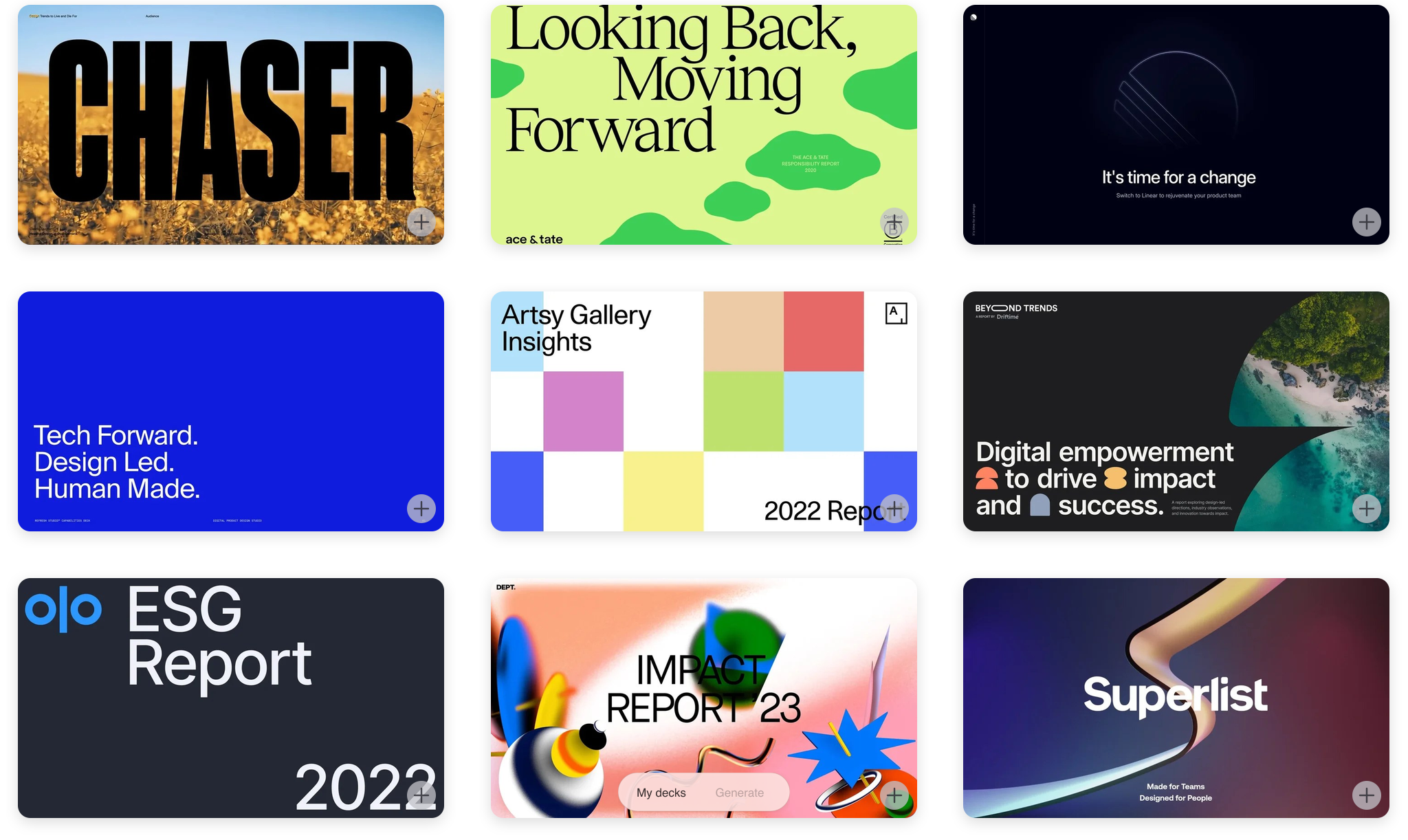
14 Curated Deck Templates Are Live
We added 14 curated deck templates to Don't Make Slides in Canvas. The new set brings stronger editorial, pitch, report, impact, and product-story directions, so a deck can start from a more precise visual language before generation begins.
- •14 New Templates A tighter curated set is now live on the Canvas template wall, ready to use as the starting mood for generated decks
- •Stronger Deck Styles The set includes bold editorial covers, clean investor-style layouts, impact reports, product narratives, and high-contrast brand systems
- •More Precise Visual Direction Pick the template first, then upload source material and generate with a clearer layout rhythm, typography attitude, and color direction
- •Published to Canvas The templates are live for Don't Make Slides and appear with the rest of the slide template wall
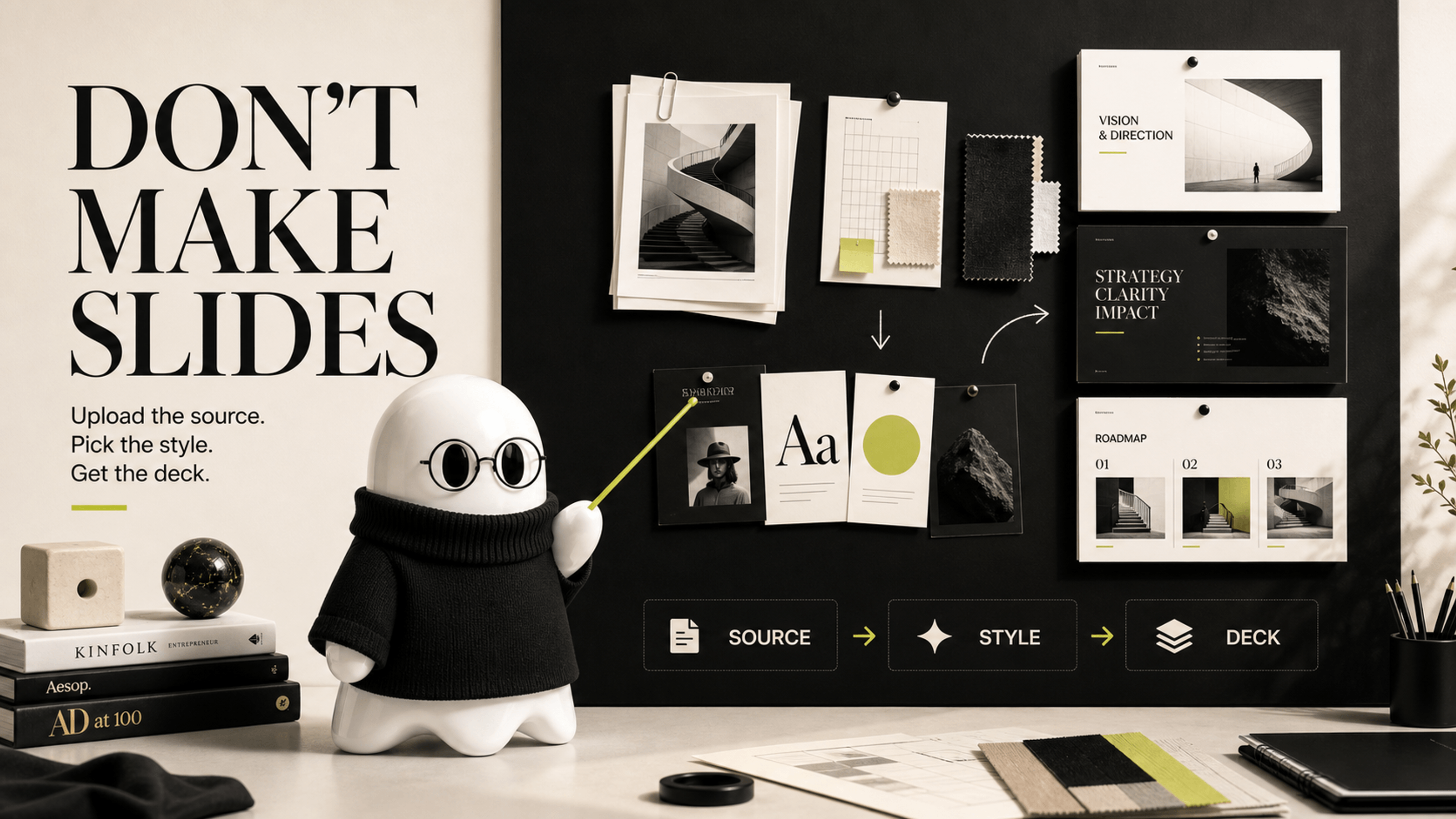
Don't Make Slides: Turn Source Material Into a Styled Deck
Don't Make Slides is a new Canvas workflow for making presentation decks from real source material. Upload a PDF or document, choose a visual mood, add a short direction, and LocalBanana will help shape the story into a polished deck.
- •Start With the Source Upload a PDF, DOCX, TXT, or MD file and let LocalBanana use it as the foundation for the deck
- •Pick a Visual Mood Choose a template from the Canvas wall to set the look, pacing, and design language before generation begins
- •Prepare Everything in One Dock Your template, files, and short direction appear together as chips, so it is clear what will go into the deck
- •Generate the Whole Deck LocalBanana helps organize the story and turn it into a complete set of 16:9 pages instead of asking you to build from a blank slide
- •A Guided First Run The new walkthrough shows the order: choose a template, attach materials, describe the goal, then generate
- •Built for Fewer Interruptions Common planning hiccups are handled in the background so the workflow feels steadier from source to finished deck
GPT Image 2 Stability Update: More Room to Create
We improved GPT Image 2's generation path for better stability and tuned moderation to low, so prompts have more creative room with fewer unnecessary blocks. Safety checks still apply, but Image 2 should now feel faster, steadier, and more open to expressive ideas.
- •More Stable Image 2 We tuned GPT Image 2's generation path to reduce flaky failures and make the model feel steadier during busy periods
- •Moderation Tuned to Low We lowered moderation sensitivity so more creative prompts can go through with fewer unnecessary restrictions while safety checks remain in place
- •More Possibilities Portraits, design explorations, stylized concepts, and richer visual directions should now have more room to shine. We hope you make something brilliant with it
GPT Image 2 Is Live: Pick Your Model, Remix Anything, Drag to Find Similar Art
GPT Image 2 now runs side-by-side with Nano Banana. Pick the right model for each prompt, browse by studio, remix any gallery piece with one click, and drag a box over any image on the redesigned detail page to pull up visually similar work from the whole gallery.
- •GPT Image 2 OpenAI's image model now runs side-by-side with Banana Pro and Banana 2. Pick the model from a dropdown in the composer; the parameter panel adapts to show only what each model supports (aspect ratio for Banana, fixed sizes for GPT Image)
- •Model Pricing GPT Image uses platform Ghost Points and does not support BYOK. Three sizes are available: 1024×1024, 1024×1536, and 1536×1024
- •Studios & Model Badges Every gallery card shows which model created it. Filter the full gallery by model pills (Banana / GPT Image), or drop into one of three dedicated studios: Cosplay, Portrait, Design
- •Drag to Find Similar Art On every gallery piece, draw a box over any part of the image and we pull up visually similar work from the whole library: a different brush, a different palette, the same mood. The detail page itself has also been redesigned with a calmer, more gallery-like layout; click any chip to jump back to the composer with the remix pre-filled
- •One-Click Remix "Remix" replaces "Use prompt" everywhere. Click it from any card, overlay, or detail page, and the composer opens with the exact prompt, reference images, model, aspect ratio, and size pre-filled
- •Copilot Reverse Upload an image, get its prompt back. The old standalone /find-the-prompt page has been merged into Copilot as a sub-mode. Same input, richer flow

Design System Phase 5+6: A Snappier, More Consistent App
Months of quiet infrastructure work shipped together: consistent UI across every page, Apple-style soft corners, and a broad sweep of performance and security wins. If the app feels snappier and more put-together lately: this is why.
- •Consistent UI Across Every Page Buttons, chips, inputs, cards, and list rows now look and feel the same from home to gallery to profile to blog. No more accidental style drift between pages
- •Crisper Borders, Livelier Hover Borders a touch sharper so cards stand out; hover states a touch brighter so interactive elements feel alive. Small individually, noticeable in aggregate
- •Apple-Style Soft Corners Sidebar search, dock buttons, and the rest of the app now share the same soft "squircle" corner shape. Small thing, big polish
- •Design-System Drift Protection An automated check now catches any one-off styling that bypasses the design system, so the consistency we just shipped won't quietly erode over time
- •Favorites Tab Loads ~10× Faster The favorites tab on your profile is dramatically quicker to open, especially on slow connections
- •Faster Image Delivery Worldwide Gallery thumbnails now come off a global CDN, so scrolling stays snappy no matter where you are
- •Home Page First Paint, Sooner The home page now loads gallery content in parallel with startup checks, trimming the time before you see something useful
- •Security Hardening Stronger anti-spoofing protection at the auth layer and tighter anti-fraud gates on the image-generation endpoint. You shouldn't feel it: that's the point
- •Today / Week / Month Tabs Actually Differ Now On the Top filter, the three time-window tabs used to return nearly identical results. They now show genuinely different leaderboards
Profile Page Optimization: Faster Loading, Smoother Carousel, Better Error Handling
Profile page now loads significantly faster with lazy initialization and code splitting. The generation carousel no longer stutters when clicking arrows. Upload failures are handled gracefully with retry options and error feedback throughout.
- •Lazy Tab Loading Wardrobe, Poses, and Creations tabs now load data on-demand when you first visit them, instead of all at once on login. Cached data is shown instantly while fresh data loads in the background
- •Code Splitting Heavy components (WardrobeView, PoseView, GenerationView, Onboarding) are dynamically imported. Smaller initial bundle means faster first paint
- •Carousel Fix Resolved stuttering and flickering when clicking left/right navigation arrows in the generation carousel. Fixed competing GSAP animations and consistent animation cleanup across all input methods
- •Error Recovery All profile tabs now show a friendly retry button if loading fails. Upload failures no longer leave orphan "processing" cards: items are cleaned up or marked as error with clear feedback
- •Smarter Upload Tracking Processing items stay visible during your current session but are automatically cleaned up on page refresh. Stale uploads older than 10 minutes are auto-repaired
- •Toast Feedback Like, unfavorite, and delete operations now show toast notifications on failure with automatic state rollback, so you always know what happened
Brand New Generation Panel: Immersive Creation Experience
The image generation panel has been completely redesigned. A cinematic full-screen experience with floating images on a blurred backdrop, a smooth physics-based carousel, and a streamlined Composer bar: all designed to keep you in the creative flow.
- •Immersive Full-Screen Stage Images float directly on a blurred backdrop for a cinematic feel. No more boxy containers: pure visual immersion
- •Smooth GSAP Carousel Physics-based scrolling with dynamic sizing that adapts to portrait, landscape, and square images. Click any image to enter fullscreen preview
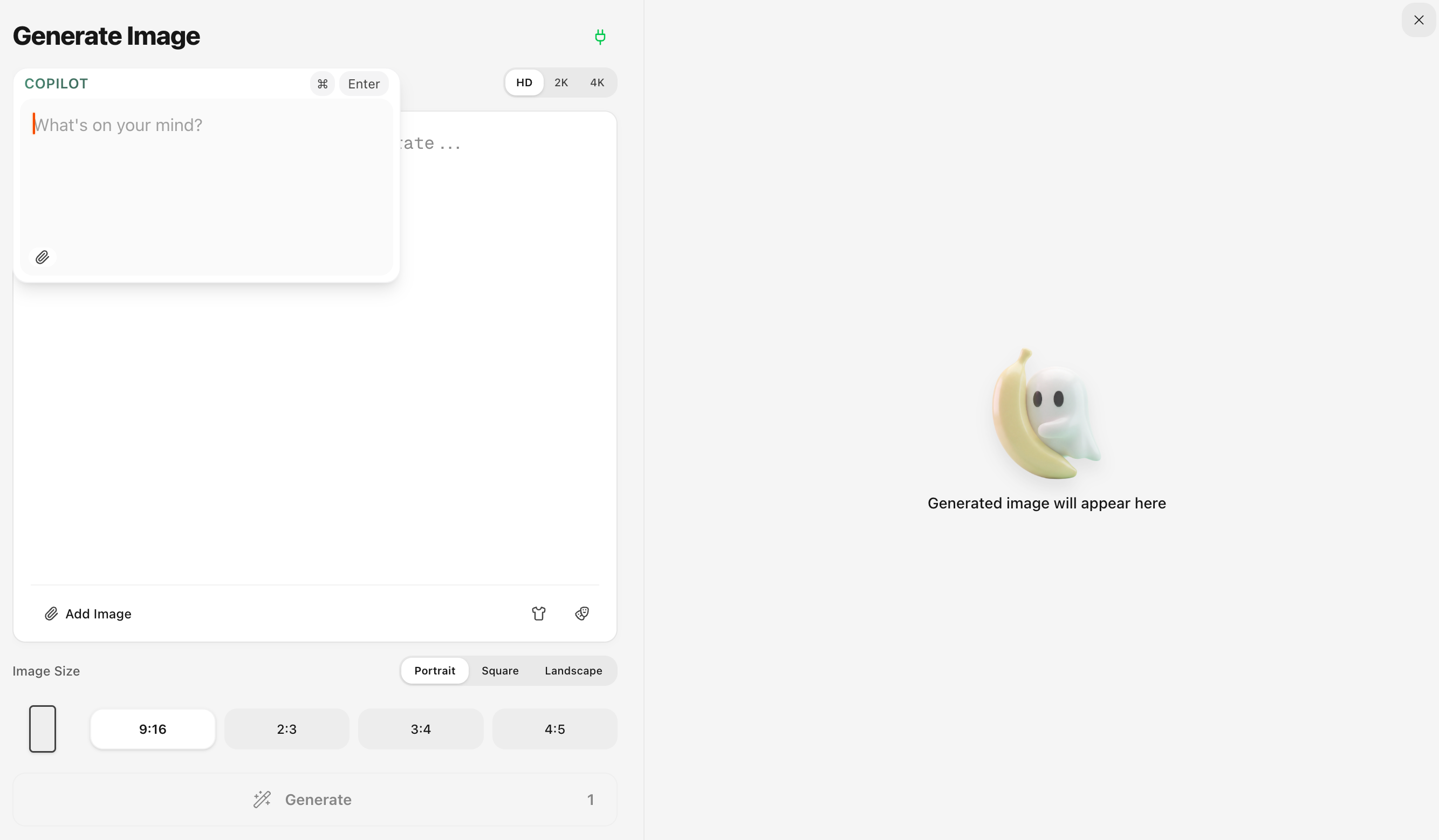
- •Redesigned Composer Bar Inline attachment button, progressive parameter disclosure (ratio, resolution, count), and a prominent one-click generate button with GP cost display
- •Copilot Dual Mode Optimize your prompt (1 GP) or edit an existing image (5 GP), all from the same input. Toggle between modes with a clean segmented control
- •Keyboard Shortcuts & UX Cmd+Enter to generate, ESC to exit, click blank area to close. Responsive design across laptop, desktop, and large displays
Nano Banana 2: Faster, Cheaper, More Creative
We've integrated Google's latest Nano Banana 2 (Gemini 3.1 Flash Image) model. Enjoy Pro-level image quality at a fraction of the cost, with exclusive new resolutions and ultra aspect ratios.
- •New Model: Banana 2 Toggle between Banana Pro and Banana 2 with the stylish Banana 2 button next to the title. Banana 2 delivers Pro-level quality at Flash speed
- •Lower GP Cost Banana 2 images cost only 3 GP (HD), 4 GP (2K), and 8 GP (4K), compared to 5 GP and 10 GP for Banana Pro. That means up to 166 HD images per month on the Basic plan
- •New Lite Resolution (512px) Exclusive to Banana 2, only 2 GP per image. Perfect for rapid iterations and draft previews
- •Ultra Aspect Ratios Banana 2 unlocks extreme ratios: 1:4, 1:8 (super tall) and 4:1, 8:1 (super wide). Find them in the new B2 tab in the aspect ratio selector
- •Better Text Rendering Banana 2 renders text in images with higher accuracy, supporting multi-language in-image localization
- •Note: Due to Google's official API being newly launched, generation speed may have higher latency than usual. Lite and 2K resolutions perform best. We expect this to be resolved soon

Russian Language Support: Привет!
Local Banana now speaks Russian! The entire UI: homepage, gallery, subscription, profile, FAQ, and more: is now available in Russian. Спасибо to our growing community in Russia and Ukraine.
- •Full UI Localization: Every page and component: from the homepage to subscription management: is now translated into natural, idiomatic Russian
- •Easy Switching: Select Russian from the language menu in the sidebar or mobile menu to switch instantly
- •5 Languages: Local Banana now supports English, 中文, 日本語, 한국어, and Русский
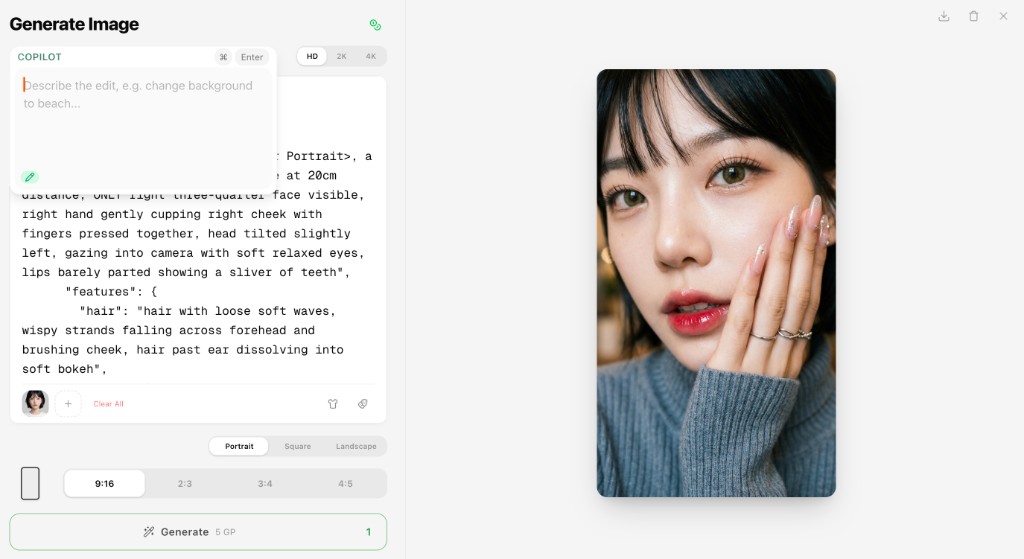
Copilot Edit: See It, Change It, Done
See something you want to tweak? Don't download, re-upload, or re-prompt from scratch. Just tap edit, type what you want changed, done. Same vibe, better result: all without leaving the canvas.
- •Edit Mode Toggle: Click the pen icon in Copilot to switch between prompt mode and image edit mode
- •Text-Based Editing: Describe changes like "change background to beach" or "make the outfit red": no masks needed
- •Resolution & Ratio: Choose your preferred resolution and aspect ratio: both can be adjusted freely when editing
Profile Page Performance Improvement
The Profile page now loads significantly faster. Favorites load instantly from cache, and creations load on demand as you scroll: no more waiting for everything upfront.
- •Faster Profile Loading: Removed blocking server-side data fetch for a much quicker initial page load
- •On-Demand Creations: Your generated images now load progressively as you scroll instead of all at once
- •Smoother Transitions: Improved skeleton loading for a seamless experience between loading and content
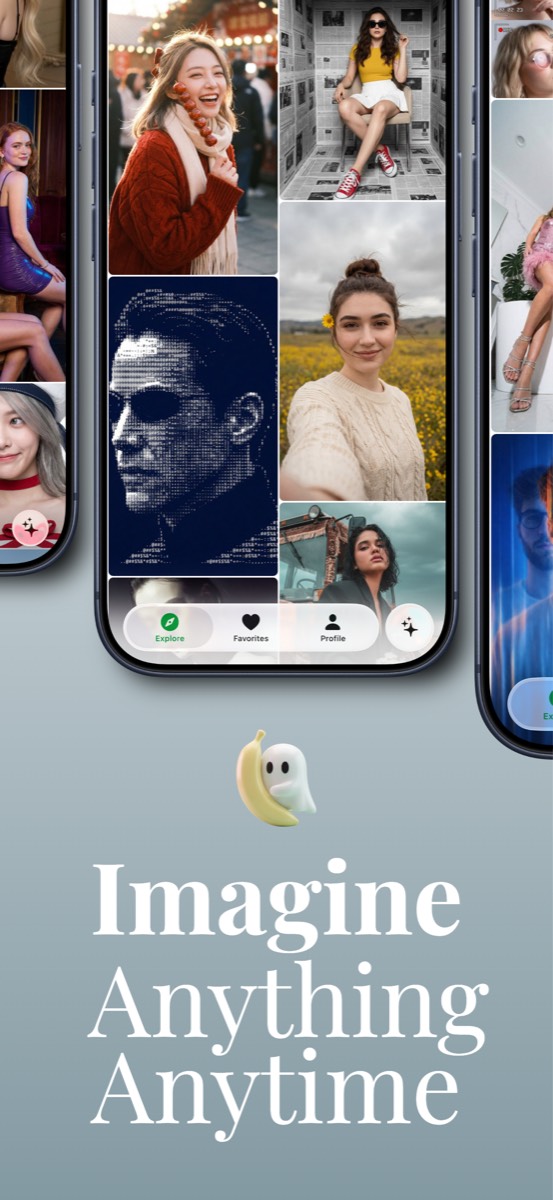
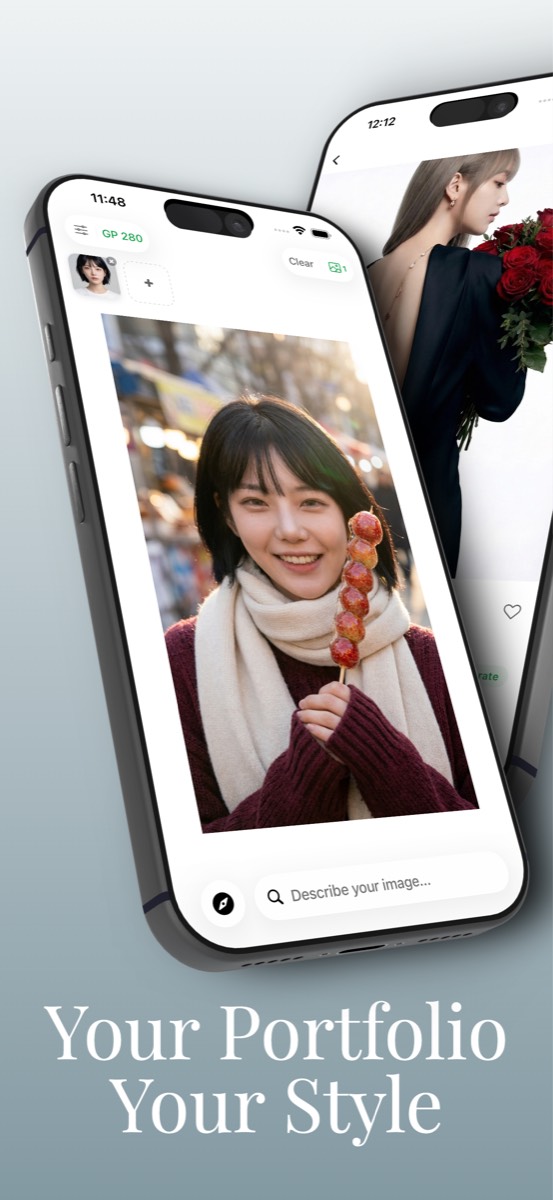
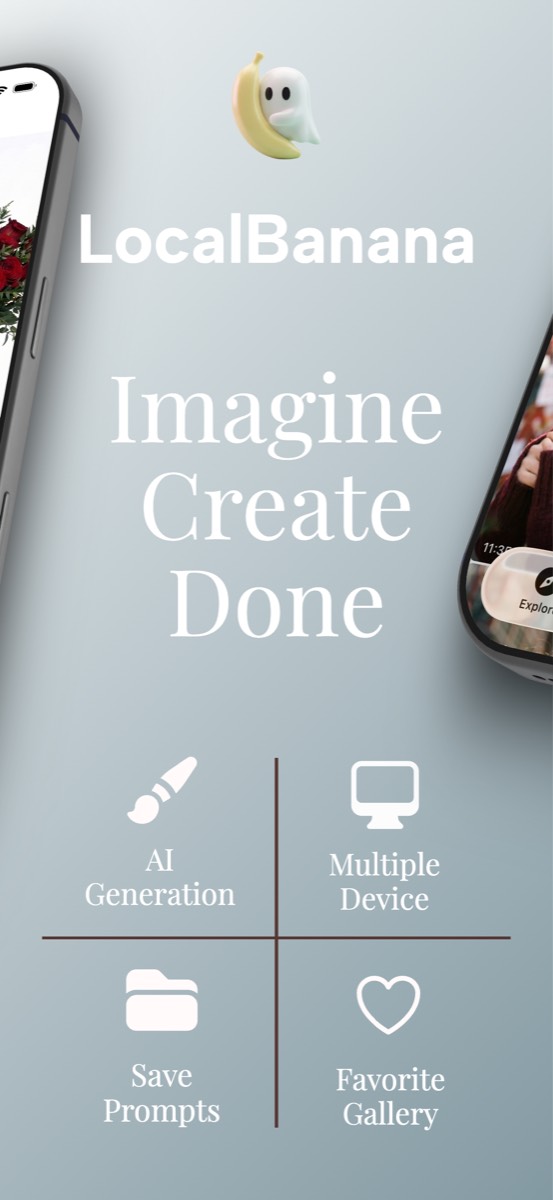
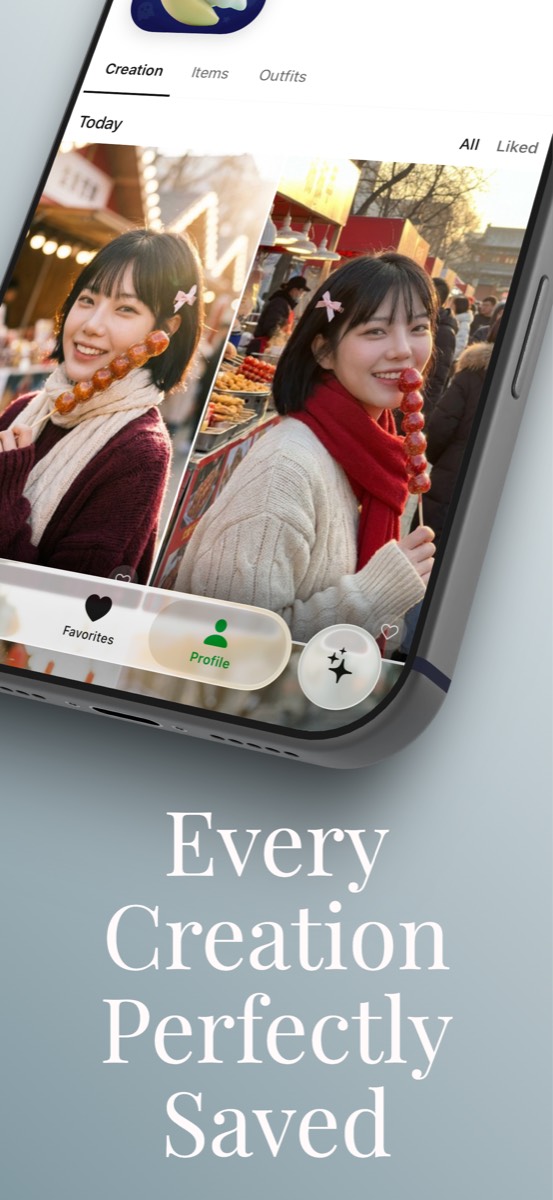
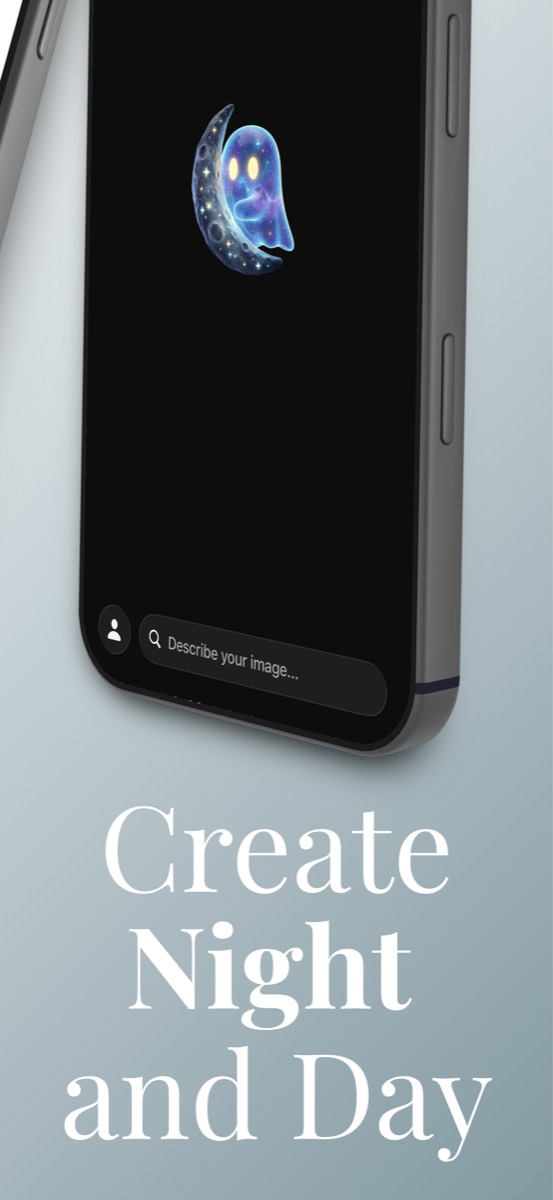
LocalBanana iOS App: Coming Soon to App Store
We're excited to announce that the LocalBanana iOS app is entering its final testing phase and will be available on the App Store soon. Take your visual intent references with you: browse, adapt, and create wherever you are.
- •Full Visual Reference Gallery: Browse studio-grade visual intent references on mobile with smooth scrolling and gesture navigation
- •One-Tap Copy: Copy supporting prompt text instantly and paste it into Gemini or your preferred AI model
- •Favorites & Collections: Save your favorite references and organize them into personal collections
- •Offline Browsing: View your saved references even without an internet connection
- •Native iOS Experience: Designed for iPhone with haptic feedback, smooth animations, and Dark Mode support
New Landing Page & Brand Refresh
We've redesigned the LocalBanana homepage with a fresh look. A cleaner layout, better navigation, and a more intuitive first impression for new visitors. Copy. Paste. Create.
- •New Homepage Design: Refreshed visual identity with a cleaner, more modern look
- •Improved Navigation: Easier access to Gallery, Chrome Extension, and documentation
- •iOS App Preview: Dedicated section for the upcoming mobile experience
- •Updated FAQ & Footer: Better organized information and quick links
Happy Lunar New Year! Free GP & Double Top-Up
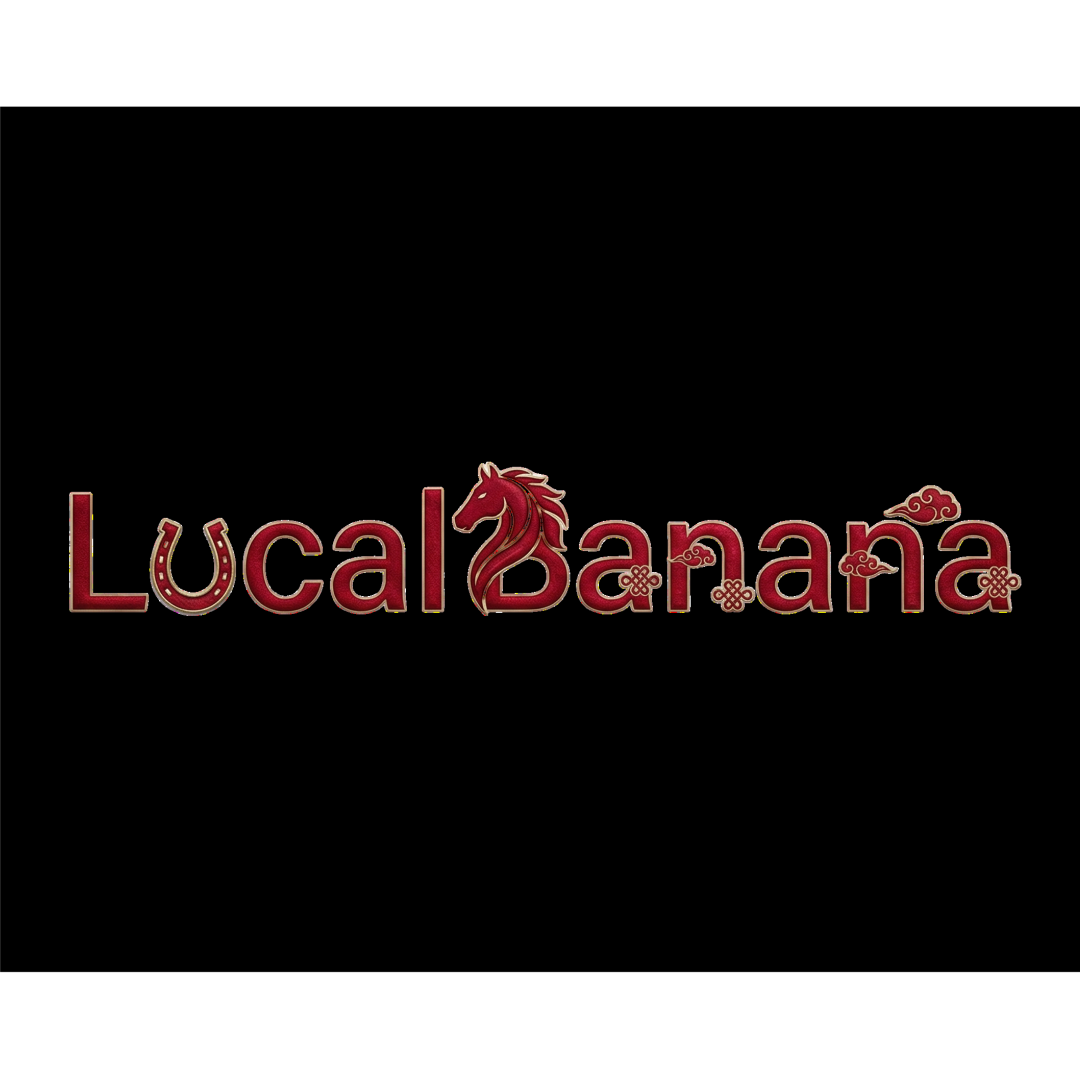
To celebrate the Lunar New Year and the Year of the Horse, we've updated our logo with a special limited edition design featuring festive red colors and traditional elements. Plus, enjoy special Lunar New Year rewards from Feb 15 to 21! Wishing all our users a prosperous and joyful new year!
- •Limited Edition Logo: A special Lunar New Year themed logo with festive red design and traditional horse motif
- •Year of the Horse 2026: Celebrating the Lunar New Year with our community worldwide
- •Daily Login Bonus (Feb 15 to 21): Log in each day to receive 50 GP for free: that's 7 days, up to 350 GP total, equivalent to 70 2K images! Note: daily bonus GP expires at the end of the day and cannot be accumulated
- •Double Top-Up (Feb 15 to 21): Any top-up amount during the event period will be doubled!
- •Temporary Update: The festive logo will be displayed during the Lunar New Year period and will revert to our classic design afterwards
Japanese Prompt Support - Now Available!
Great news for our Japanese users! Japanese prompts and AI analysis are now fully available. You can now view prompts, AI breakdowns, segment explanations, and editing suggestions, all in natural Japanese. Just click the language switcher and select 日本語 to enjoy the full experience in your language.
- •Japanese Prompts: View all prompts translated into natural Japanese
- •AI Analysis in Japanese: Summaries, explanations, and suggestions now available in Japanese
- •Language Switcher: Easily switch between EN, 中文, 한국어, and 日本語
- •Editing Suggestions: Get Japanese alternatives when customizing prompts
- •Risk Notes: Understand what's safe to edit with Japanese explanations
LocalBanana is Now Open to Everyone!
After months of closed beta testing with hundreds of users, LocalBanana is now open to everyone! No invite codes needed. We've curated 1500+ visual intent references with daily updates featuring AI art, image directions, and reusable creation ideas from around the world. Thank you to all our beta testers, your feedback made this possible.
- •Open Registration: Anyone can now sign up, no invite code required
- •1500+ Visual Intent References: High-quality references with supporting prompt text, updated daily with the latest global AI art
- •LocalBanana Copilot: AI assistant for writing, reverse-engineering, and refining prompts, with built-in Fuji Color Science Expert
- •3D Carousel Display: Stunning immersive 3D carousel effect to showcase your creations
- •Image Zoom & Pan: Zoom in and drag to explore every detail of your images
- •Onboarding Tour: Interactive guide helps new users get started quickly
- •Look Pass & Pose Deck: Outfit cards + 40+ curated poses, swap looks and poses with one click
- •Ghost Points System: Affordable billing with up to 50% savings vs official API pricing
- •Global Payments: Alipay, WeChat Pay, Kakao Pay, Naver Pay supported, plus currency selector
- •Multi-language Support: Full support for English, Chinese, Japanese, and Korean
- •BYOK Still Free: Bring your own API key and use LocalBanana completely free
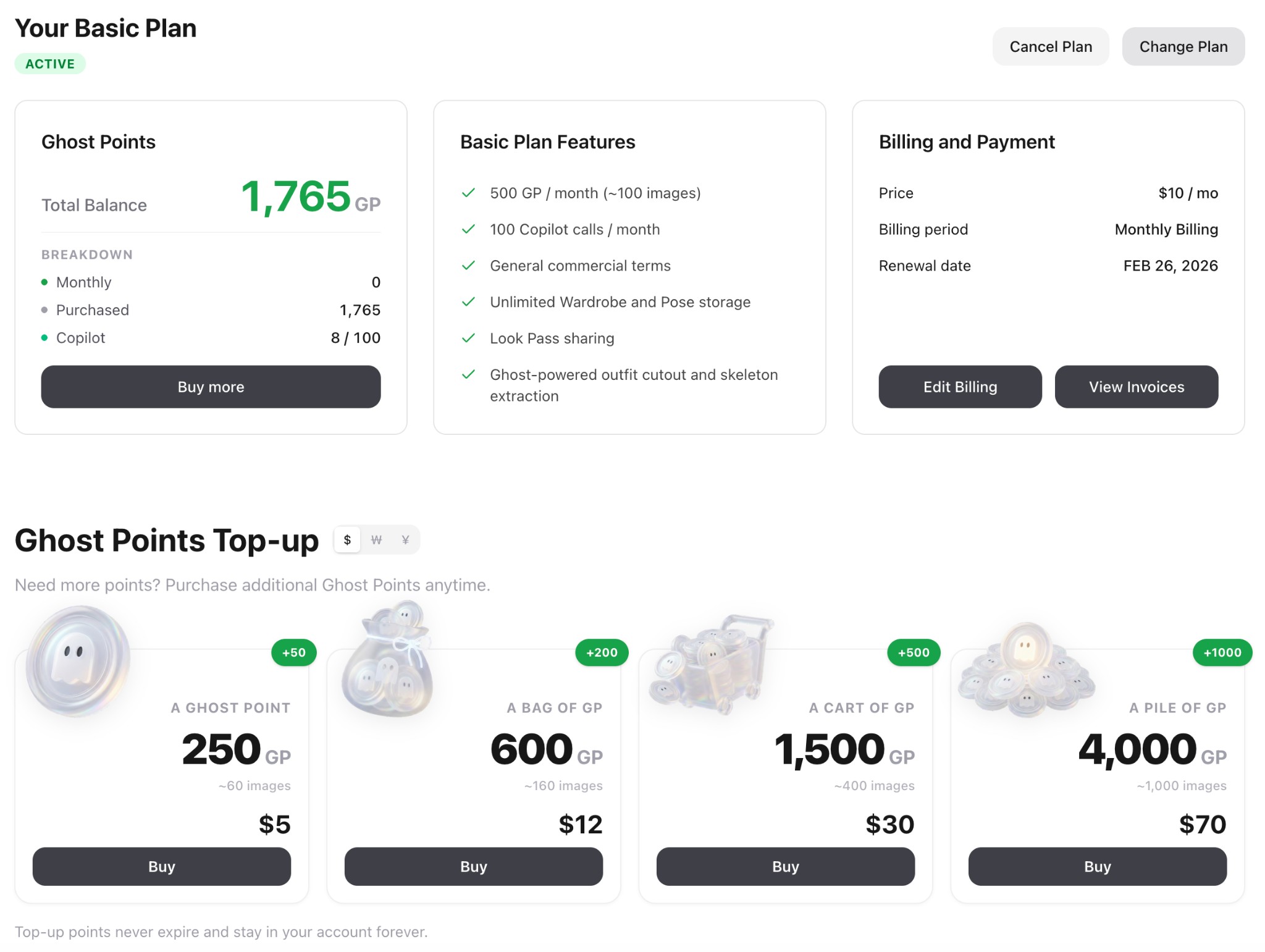
Ghost Points - An Alternative to BYOK, Generate More, Pay Less
Many users find BYOK (Bring Your Own Key) challenging, network restrictions, overseas payment barriers, etc. So while BYOK remains fully supported for free usage, we've designed an alternative: Ghost Points (GP), a stable, affordable billing system that works without VPN (China users can access and generate directly) and supports local payment methods. Same quality, lower price, zero hassle. Choose subscriptions or top-up packs with up to 50% savings vs official API pricing.
- •Subscription Plans: Basic ($10/mo, 500 GP) or Pro ($30/mo, 2000 GP) with 20% off yearly billing
- •Top-up Packs: 4 packs from $5 to $70 with up to 25% bonus points that never expire
- •Save Up to 50% Per Image: We subsidize API costs so each image you generate costs up to half of official pricing
- •Pro Benefits: 10% off all top-ups, 500 free Copilot uses/month, unlimited Wardrobe & Pose slots
- •Global Payments: Alipay, WeChat Pay (China), Kakao Pay, Naver Pay (Korea), Stripe Link, all major cards
- •Daily Rewards: All users get 10 GP daily just for logging in (~300 GP/month bonus)
Documentation & Blog Launch - Learn AI Art Like a Pro
We've launched a comprehensive Documentation Center and Blog to help you shape AI visual creation. The Docs cover getting started, visual intent basics, film simulation guides, and parameter references. The Blog features in-depth tutorials like "100 Visual Intent References" and "Visual Intent and Prompting Guide". Both are fully localized in English, Chinese, Japanese, and Korean.
- •Documentation Center: Comprehensive guides covering Getting Started, Visual Intent Basics, Film Simulation, Parameters, and Policies
- •Blog Launch: In-depth tutorials including "100 Visual Intent References", "Visual Intent and Prompting Guide", and "Kodak Portra 400 Guide"
- •Full i18n Support: All content available in English, Chinese, Japanese, and Korean with seamless language switching
- •Smart Search: Quickly find articles and guides with built-in search functionality
- •Responsive Design: Optimized reading experience across desktop, tablet, and mobile devices
Public Beta Prep & Experience Upgrade
This update focuses on public beta preparation and user experience upgrades. We've added a new user onboarding system and 3D carousel image display, expanded global payment support (Alipay, WeChat Pay, Kakao Pay), optimized responsive layouts for large screens, and fixed several critical issues.
- •Onboarding Tour: New interactive guide helps users quickly learn Generation and Profile features
- •3D Carousel: Generation page now displays images with a stunning 3D carousel effect
- •Global Payments: Support for Alipay, WeChat Pay (China), Kakao Pay, Naver Pay (Korea), plus currency selector
- •Responsive Layout: Optimized panel ratios and adaptive layouts for large screen devices
- •SEO Optimization: New /prompts landing page, improved multilingual metadata and keywords
- •Category Filtering: Upgraded to server-side queries for better performance
- •Security Fix: Patched RPC permission vulnerability; invalid BYOK keys no longer silently charge GP
- •Bug Fixes: Fixed large image 413 error, GP refund display issues, and dark mode styling
Fuji Color Science Expert - Your New Copilot Partner
Ever had this happen? Same content, different scene, and suddenly the colors drift, skin tones go warm then cold, the mood never quite lands. Now there's a new partner in Copilot: the Fuji Color Science Expert. It translates "the feeling you want" into stable, reusable color language, so every generation feels like the same camera, the same film stock.
- •20 Fuji Film Simulation Presets: One-click access to professional Fuji film looks, from PROVIA's natural realism, to Velvia's high-saturation landscapes, Classic Chrome's documentary restraint, Nostalgic Neg's golden mood, ETERNA's cinematic feel, and Bleach Bypass's cold metallic edge
- •Stable Colors, No Luck Required: Controls color tendency, tonal curves, highlight rolloff, shadow detail, and grain simultaneously, reducing that "looks close but not quite right" drift
- •Auto-Complete Professional Descriptions: Just describe your subject, scene, and mood, it converts your style choice into high-signal prompts with negative exclusions to avoid watermarks, plastic skin, over-sharpening, HDR halos, and noisy artifacts
- •How to Use: Open Copilot and mention you want a Fuji look, Copilot will automatically recommend the best film simulation for your current prompt. Or specify directly: "I want Classic Chrome" or "give me Nostalgic Neg"
Image Zoom & Pan - Explore Every Detail
Now you can zoom in and pan around images to see every detail. Click anywhere on an image to zoom in centered on that point, drag to explore, and scroll to adjust zoom level.
- •Click to zoom: Click anywhere on an image in fullscreen mode to zoom in (up to 250%), centered exactly where you clicked
- •Drag to pan: When zoomed in, drag the image to explore different areas, perfect for examining fine details
- •Mouse wheel zoom: Use your mouse wheel to smoothly zoom between 1x and 5x magnification
- •Touch support: Full touch gesture support for mobile, tap to zoom, drag to pan
- •Works everywhere: Available in both gallery image previews and generated image previews
- •Smart cursor: Cursor changes to indicate current mode, zoom-in, grab, or grabbing
LocalBanana Copilot (Beta) - The First Prompt Agent That Knows Beautiful
From idea to image: without figuring out prompts. The path used to be long: writing prompts, trial and error, going back and forth between different AI models. Now, we've shortened that path to just one sentence. LocalBanana Copilot is a prompt agent that understands your aesthetic, so you can focus on creating beauty, not studying prompts.
- •0 → 1 Generation: Tell Copilot what you want, style, character, atmosphere, lighting, scene, it generates a ready-to-use, standardized prompt instantly
- •Reverse: See a stunning image you love? Upload it and say "reverse this", Copilot extracts the style DNA into a highly accurate, reusable prompt
- •Natural Language Editing: Want to tweak something like "shorter hair" or "rainy day"? Just say it. Copilot adjusts the prompt to a more stable, beautiful-image-ready state
- •Trained on thousands: Copilot is powered by our optimization pipeline built on thousands of high-quality image prompts, it knows what works
- •BYO Key (for now): Copilot currently requires your own Gemini API key. We've heard your feedback, we're actively working on a solution to remove this barrier
- •Closed beta: Invite codes drop daily, follow @LocalGhost97665 on X, or ask the site admin
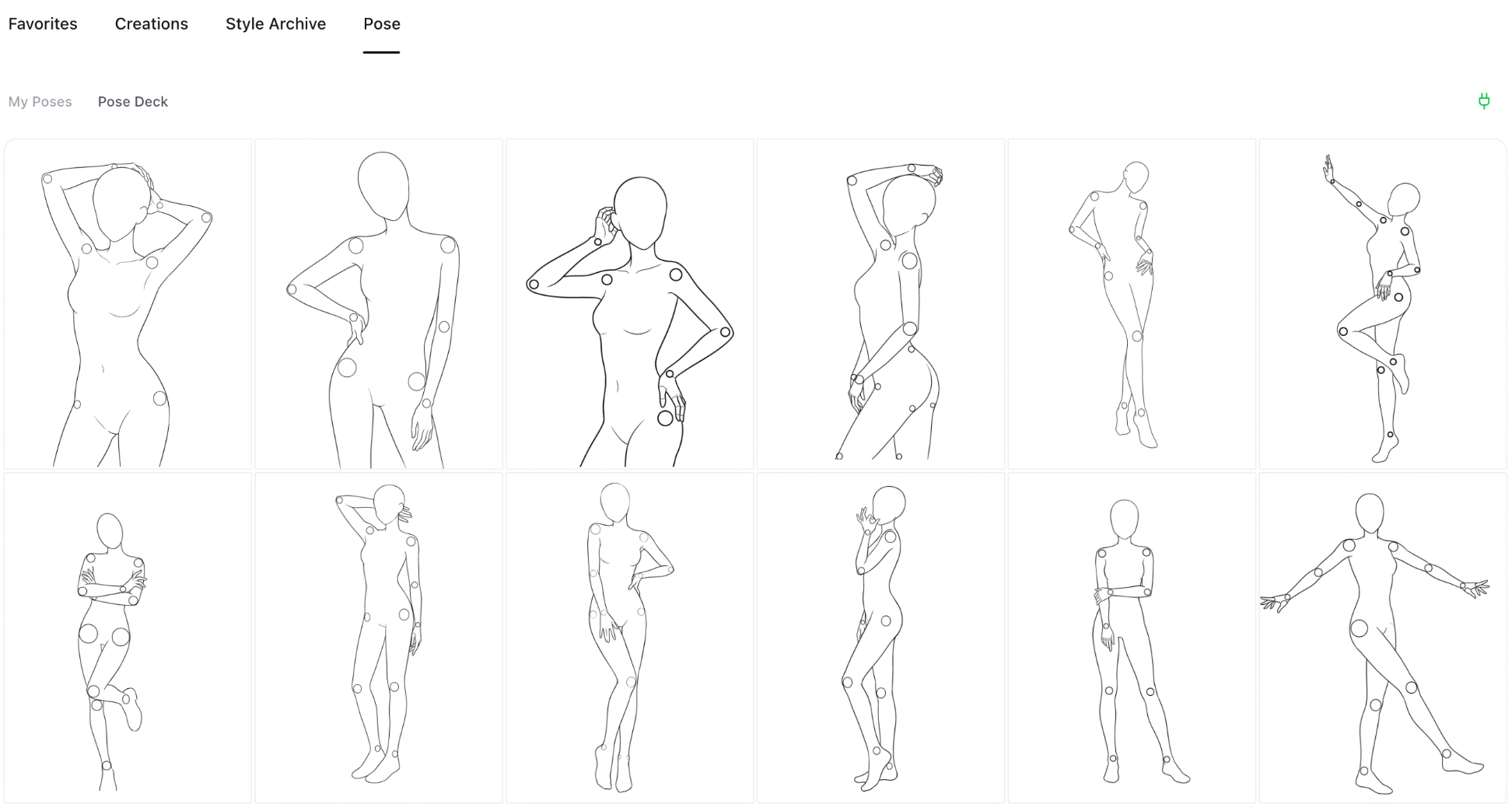
Look Pass & Pose Deck (Beta) - Your AI Styling Toolkit
We've upgraded both Wardrobe and Pose. Look Pass saves outfits as reusable "look cards", swap looks anytime, share/swap with friends, and iterate without re-uploading. Pose Deck ships with 40+ official curated poses across different actions, so you can get the pose you want without thinking up (or writing) complicated prompt hacks. Note: Both features are currently in closed beta and not yet publicly available. Invite codes are required to access.
- •Look Pass: Save outfits as reusable "look cards"
- •Swap & share: Switch looks anytime and share/swap with friends (no re-uploading)
- •Mix references: Stack multiple wardrobe items/outfits as reference images
- •Pose Deck: 40+ official curated poses across different actions
- •No prompt gymnastics: Pick a pose instead of writing complicated prompt hacks
- •Closed beta: Invite codes drop daily, follow @LocalGhost97665 on X, or ask the site admin
Korean Prompt Support & Performance Boost
We've added full Korean prompt support across the platform! Now you can view prompts, AI analysis breakdowns, and suggestions in Korean. We've also made performance improvements: faster image loading, smoother animations, and snappier interactions throughout the app.
- •Full Korean prompt support: view prompts, analysis, and suggestions in Korean
- •Faster image loading throughout the gallery
- •Smoother animations and transitions
- •Snappier interactions with instant response
- •More languages coming soon - stay tuned!
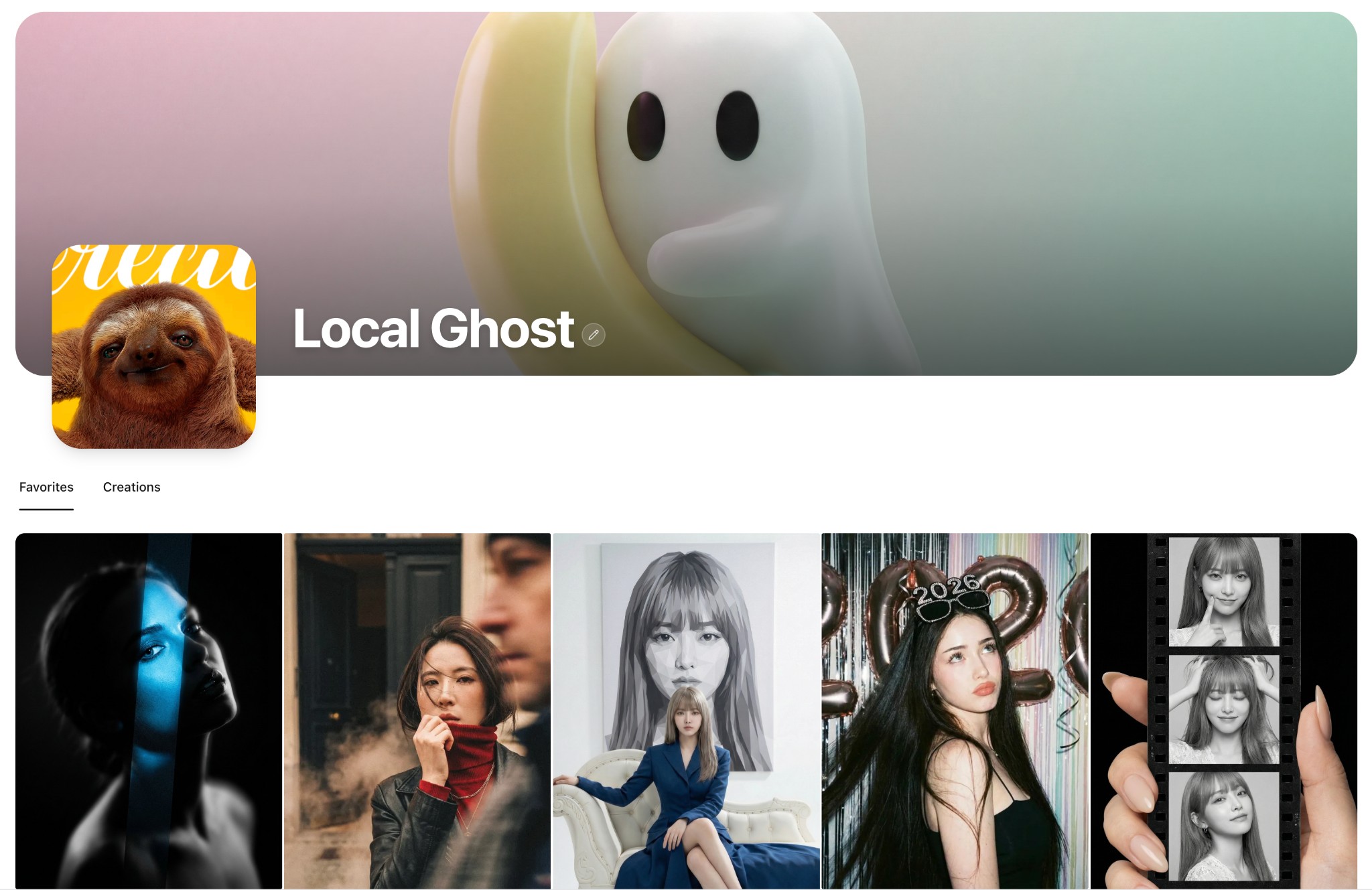
Personal Library Beta - Your Private Collection Universe
Happy New Year! We're giving you a "long-term" gift: Personal Library is now in beta. It's a space just for you, to save, organize, and revisit your favorite prompts and AI creations. Whether you're a "inspiration hoarder" or always losing track of your work, this should help. The feature is in closed beta with limited invite codes. To join, reach out to @LocalGhost97665 on X (Twitter). We've also polished the Creations experience: one-click original download, safe deletion with confirmation, and smoother prompt reading and generation flows. Stay tuned: This beta is laying the groundwork for major updates ahead.
- •Beta Launch: Personal Library is now available for invited testers
- •Limited invite codes: contact @LocalGhost97665 on X (Twitter) to request access
- •Save & organize: a dedicated space for your favorite prompts and AI-generated images
- •Two tabs: 'Favorites' for gallery items you love, 'Creations' for your own generated images
- •One-click save: see something you like? Save it first, decide later
- •Creations quick actions: download original images instantly, delete unwanted creations with confirmation
- •Personalize your profile: custom banner, avatar, and username, make the space yours
- •UI polish: cleaner prompt reading, more consistent generation flow
- •Coming soon: This beta is laying the groundwork for major updates ahead
Japanese & Korean Language Support - Enhanced Global Experience
We're excited to announce full Japanese and Korean language support across the entire platform! As our user base continues to grow globally, we're committed to providing the best possible experience for everyone. All interface elements, content, and features now support Japanese and Korean, enabling users to explore, create, and enjoy AI art generation in their preferred language.
- •Added complete Japanese language support for all interface elements and content
- •Added complete Korean language support for all interface elements and content
- •Updated sidebar and mobile menu language selectors with Japanese and Korean options
- •Translated all updates page content into Japanese and Korean
- •Localized prompt overlay buttons and generation view interface
- •Enhanced language switching experience with smooth transitions
- •Improved accessibility for Japanese and Korean speaking users
Sidebar Navigation Redesign - Improved Content Discovery
We've redesigned the sidebar navigation to make content discovery more intuitive and efficient. The new structure features a clear 'All' view, a 'TOP' section with time-based trending (Today, Week, Month), and a collapsible 'Category' section. The improved layout helps users quickly find what they're looking for, whether it's the latest content, trending items, or specific categories.
- •Redesigned sidebar navigation with clearer structure: All + TOP + Category
- •Added time-based trending: Today (24h), Week (7 days), Month (30 days) sorted by view count
- •Made Category section collapsible with smooth expand/collapse animation
- •Improved visual feedback with animated green indicator bar that smoothly transitions between sections
- •Fixed indicator bar visibility issue when transitioning across collapsible sections
- •Category section now defaults to expanded for better discoverability
Alibaba Z-Image-Turbo API Integration - Fast & Affordable AI Image Generation
We've integrated Alibaba's Z-Image-Turbo model as an alternative image generation provider. Z-Image-Turbo is a lightweight 6B-parameter model that generates photorealistic images with excellent Chinese and English text rendering. With just 8 inference steps, it delivers results comparable to leading commercial models at a fraction of the cost (¥0.1/image). Note: Z-Image currently supports text-to-image only and does not accept reference images.
- •Added Z-Image-Turbo as alternative image generation provider alongside Gemini
- •Ultra-low cost: ¥0.1 per image (¥0.2 with prompt enhancement)
- •Support for HD (1K), 2K, and 4K resolution outputs with optimized aspect ratios
- •Excellent bilingual text rendering - accurately generates Chinese and English text in images
- •Quick API key switching between Gemini and Z-Image providers
- •Synchronous API calls for faster response (typically 4-6 seconds)
- •Note: Reference image upload is not supported for Z-Image (text-to-image only)
LocalBanana Extension Released - Your Private AI Prompt Library
Tired of losing great prompts or having them scattered across notes? The LocalBanana Extension delivers a "Lightning Capture" and "Local-First" experience. Save instantly with a right-click or smart clipboard detection, complete with automatic source tracking. Organize your creative assets efficiently with collections, tags, and fuzzy search. Most importantly, we maintain a 100% local storage architecture, no internet required, zero privacy leaks. Your prompts belong only to you.
- •Lightning Capture: Right-click save, smart clipboard detection, and auto-source tracking
- •Efficient Management: Collections, custom tags, and favorites to keep things organized
- •Instant Access: Fuzzy search for immediate results and one-click copying
- •Privacy First: 100% local storage architecture, fully offline capable, zero cloud uploads
Mobile UI Redesign - Immersive Experience
We've completely redesigned the mobile experience with a focus on immersion and elegance. The new design features a sleek bottom navigation bar with a Liquid Glass effect, an immersive full-screen menu overlay with gradient transitions, and a more intuitive browsing experience. The top navigation now scrolls with the content for a seamless feel, and we've optimized the prompt detail sheet for smoother drag interactions.
- •Introduced new bottom navigation bar with Liquid Glass visual effect
- •Added full-screen menu overlay with gradient mask for immersive experience
- •TopNav now scrolls with page content for better immersion
- •Redesigned prompt detail bottom sheet with smoother drag gestures
- •Removed generate button from mobile for streamlined viewing experience
- •Added complete bilingual support for all mobile menu elements
- •Fixed clipboard API compatibility for non-HTTPS environments
- •Fixed search state persistence bug when navigating back to home
Platform Updates
Over the past update cycle, we focused on improving clarity, performance, and overall consistency across the platform. The updates page has been redesigned with a timeline-based layout to make recent changes easier to scan and follow, alongside smoother navigation between updates and the gallery. We've also refined image loading and caching behavior to reduce unnecessary animations and improve perceived speed, especially when revisiting previously viewed content.
- •Redesigned updates page with timeline-based layout for better readability
- •Improved navigation smoothness between updates and gallery pages
- •Refined image loading and caching behavior to reduce unnecessary animations
- •Enhanced perceived speed when revisiting previously viewed content
- •Aligned gallery layouts, skeleton screens, spacing, typography, and dark mode colors for cohesive experience
- •Completed full bilingual support for both content and interface elements
- •Introduced lightweight update notification indicator in the sidebar
- •Made component-level refinements to strengthen foundation for future iterations
AI Prompt Analysis Feature
We've introduced an intelligent AI-powered prompt analysis feature that helps users understand and edit prompts more effectively. The system automatically breaks down prompts into structured segments, identifies editable and locked components, and provides contextual explanations for each part. This makes it easier to modify prompts while maintaining their core structure and visual intent.
- •Introduced AI-powered prompt analysis that automatically structures prompts into editable segments
- •Added three-tier edit levels: locked, editable, and risky modifications for safe prompt editing
- •Implemented contextual tooltips with bilingual explanations for each prompt segment
- •Enabled inline editing of prompt segments with real-time preview
- •Added visual indicators to distinguish between different types of prompt components
- •Integrated structured prompt view that highlights editable portions within the original text
- •Improved prompt modification workflow with reset and copy functionality
- •Enhanced teaching mode that helps users learn prompt structure and best practices