
AI Seamless Patterns: Check Tile Edges and Repetition
Use downloadable lemon tiles to check seams, move edge joins into the center, and judge the larger pattern before delivering an AI-made design.
On this page
To check an AI seamless pattern, repeat the downloaded tile without gaps and inspect where the copies meet. Then zoom out and judge the larger field. A tile can join cleanly and still produce a rhythm you do not want.
Imagine a lemon-and-leaf design for wrapping paper. One square looks balanced, but repeating it across the sheet reveals sliced lemons and rows of empty space. “Seamless” in the prompt describes your request; the exported image still needs inspection.
This guide uses original vector artwork to make those checks visible. The defects are constructed, and the repeats are actual copies of the example tiles. These are not AI outputs or evidence of any model's success rate.
A decorative square is not automatically a repeat tile
A tile is the unit you repeat. In a plain grid, copies sit directly beside and below one another, with the same orientation and size. CSS background-repeat: repeat is one example of this horizontal and vertical repetition. MDN: background-repeat
For a seamless-looking join, the image must continue naturally across those boundaries: shapes, background color, line direction, and texture all matter. A leaf can cross the edge of the square, provided its continuation appears in the corresponding place on the opposite edge. Keeping every object away from the edge is not a requirement.
In the examples below, each panel contains four copies of one 600 × 600 pixel tile, assembled into a 1200 × 1200 pixel square. There is no gap, rotation, mirroring, or retouching between the copies.
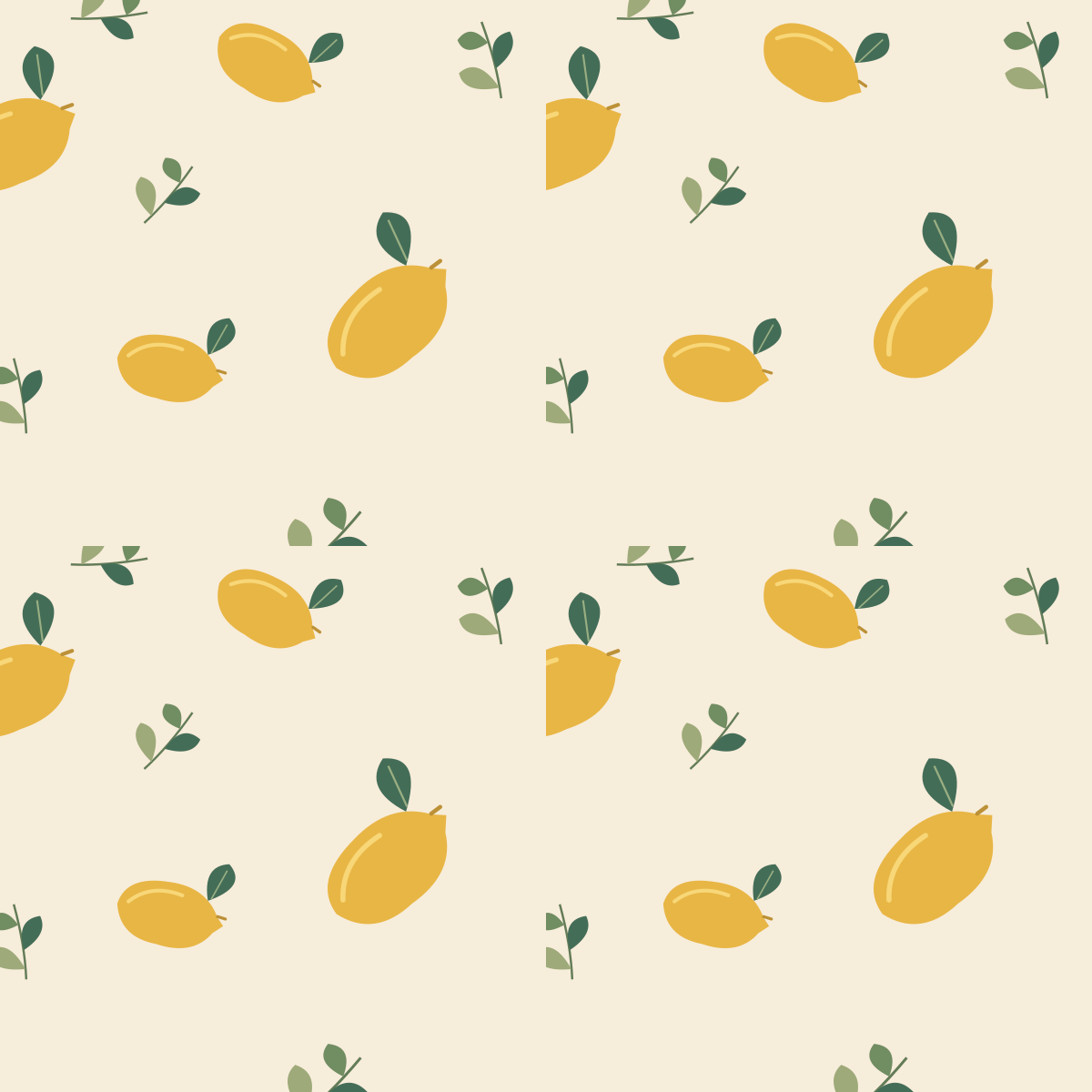

Download the tile with missing edge fragments and the tile with matching edge fragments to compare them yourself. Both are opaque PNGs. Transparency and seamless repetition are different properties; see the transparent-background guide if your design also needs a cutout.
Run the four-copy test before judging the style
Open the actual downloaded tile in a layer-based editor. For this 600 × 600 example, create a 1200 × 1200 canvas and place four unscaled copies with their top-left corners at:
- Top left: x = 0, y = 0.
- Top right: x = 600, y = 0.
- Bottom left: x = 0, y = 600.
- Bottom right: x = 600, y = 600.
For another tile size, use its actual width and height instead of 600. Turn off spacing, shadows, borders, and automatic “fit” resizing in whatever tool you use. Otherwise you may be inspecting a layout effect rather than the file's join.
Inspect the central vertical join, the central horizontal join, and their intersection. Follow a contour as it crosses each join. Look for a cut stem, a sudden color change, a doubled outline, or a gap that appears at every tile boundary. Background gradients can create bands even when the motifs themselves connect.
If you use Photoshop, Adobe documents View > Pattern Preview as a way to repeat canvas content outside its boundary. That is an alternative viewing method, not a guarantee that the pattern is correct. Adobe: create a repeating pattern
Do not accept a tile just because its first and last pixel columns are identical. Those columns become neighbors when tiled; the useful question is whether the transition looks like a natural continuation of the drawing. A seam is a visual relationship, not a requirement to duplicate one border column.
Move the outside joins into the middle
When the square's edges are awkward to inspect, shift its pixels by half the width and half the height, wrapping overflow to the opposite side. For this example, that means 300 pixels to the right and 300 pixels down. The original left/right join now runs through the center, as does the original top/bottom join.
This is a rearrangement of the same pixels. It does not generate new artwork or repair the defect. A normal move that leaves blank space behind is not the same operation.

If your editor supports wrap-around offset, use it on a duplicate. Otherwise, the four-copy test already exposes the same original boundaries. When making a repair, preserve the intended continuation across opposite edges and test the tile again. Fixing a central join while changing the new outer edges can create another seam.
Clean joins do not decide the pattern's rhythm
The larger field below repeats the continuous tile four times across and four times down. The image is reduced for display, but its arrangement is unchanged.
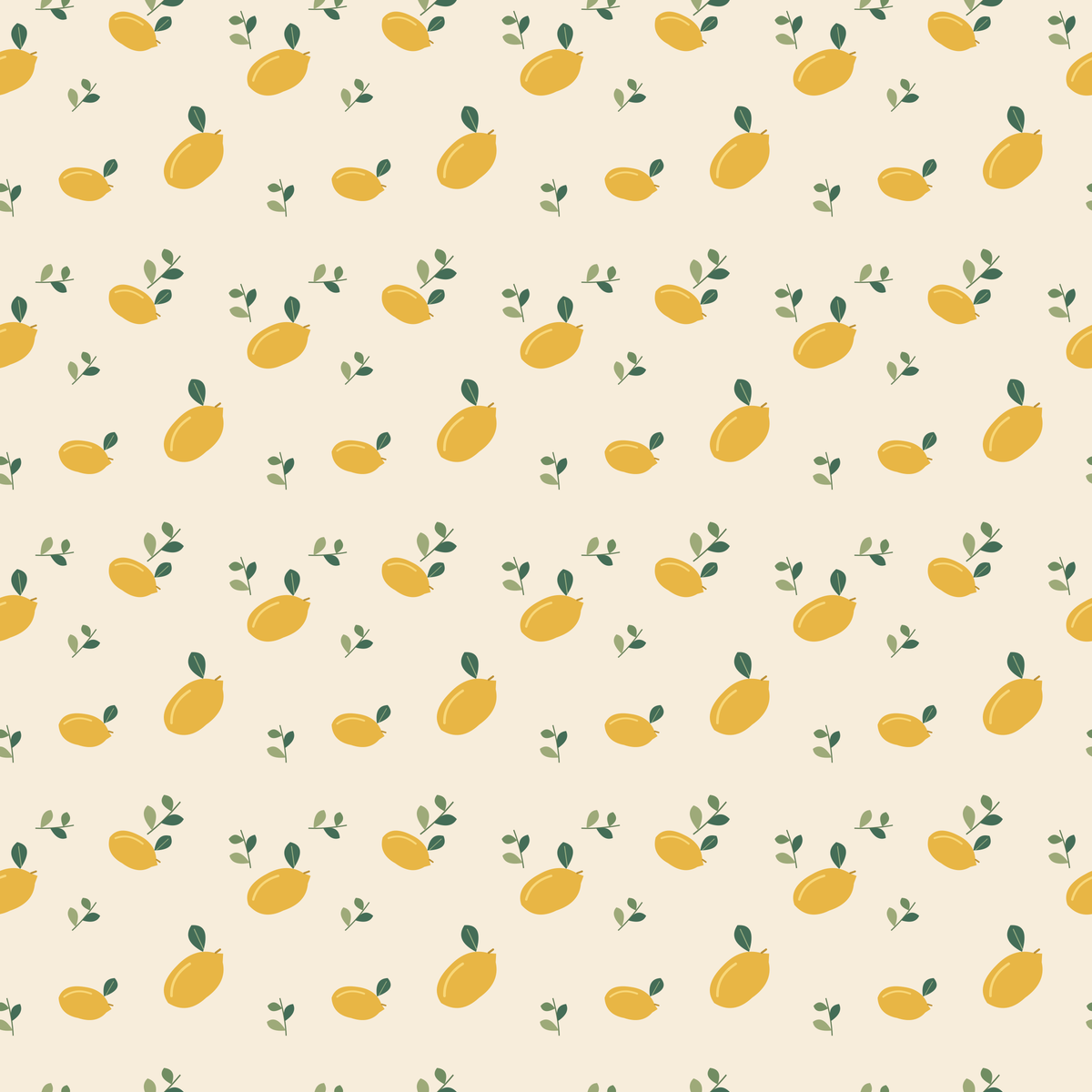
Now judge the design from the distance and at the scale where people will see it. The same large lemon returns on a regular beat; open areas return too. That repetition may be exactly right for wrapping paper. It may feel too conspicuous for a background intended to stay behind text.
If the joins are clean but the rhythm is wrong, work on the arrangement: motif scale, spacing, orientation, and the distribution of empty areas. Then repeat the boundary check. Increasing resolution alone does not change where those elements recur.
Give the generator a clear brief, then verify its export
Separate the visual request from the file requirement. “Yellow lemons, muted green leaves, warm cream, flat printed illustration” describes the look. “One repeat unit with matching opposite edges” describes how it must tile. A staged photograph of patterned paper describes a different deliverable.
The following is an untested starting prompt, not the source of the illustrations above and not a promise of seamless output:
View promptHide prompt
Create one square repeat unit for a lemon-and-leaf surface pattern.
Use yellow lemons, muted green leaves, and a uniform warm cream background.
Flat printed illustration, varied motif angles, balanced spacing.
Continue any motif that crosses an edge at the matching position on the opposite edge.
The left and right edges must join naturally, as must the top and bottom edges.
Show the flat tile only: no paper mockup, folds, perspective, border, text, or vignette.
Choose a square output if the tool offers one, and check the file's actual dimensions. A square canvas makes this example easy to assemble; rectangular tiles can also repeat. For the distinction between canvas shape and pixel count, use the aspect-ratio guide.
Finally, run the repeat test on the export you intend to deliver. An arbitrary crop can remove a required fragment; a border can introduce a line around every copy. Resizing may also change how fine edges display. Keep the repeat unit separate from its presentation sheet, retain the editable source, and judge both the joins and the larger field after the final export.